Compare top LinkedIn scheduling tools for better engagement
Compare top LinkedIn scheduling tools for better engagement

Picking a LinkedIn scheduler sounds simple until you’re staring at a dozen options, each promising to transform your content strategy. The real challenge isn’t finding a tool. It’s finding the right one for how you actually work, what you post, and how your audience responds. Text posts, carousels, videos, and documents each behave differently, and your scheduling tool needs to handle all of them without creating friction. This guide cuts through the noise by laying out clear evaluation criteria, breaking down the leading tools in detail, and helping you match the right solution to your specific publishing workflow and content goals. If you want to try this yourself, spin up a draft with an AI LinkedIn post tool.
Key Takeaways
| Point | Details |
|---|---|
| Match tool to workflow | Choose a scheduler based on your content style, team size, and need for analytics or visual planning. |
| Carousel scheduling gap | LinkedIn’s native tools cannot schedule carousels - use third-party schedulers for these formats. |
| No algorithm penalty | Using LinkedIn scheduling software does not decrease reach as long as you engage quickly after publishing. |
| Test benchmarks locally | Leverage benchmark data for timing but always test for your unique audience results. |
Key criteria for choosing a LinkedIn scheduling tool
Before diving into specific tool reviews, let’s clarify how to make your LinkedIn scheduler choice based on your workflow and content mix.
The first thing to get clear on is what you actually post. A creator who publishes daily text posts has completely different needs than a brand team pushing weekly carousels and video content. Your content format drives almost every other decision, from which tools you can even use to how much you’ll pay.
Here’s a practical checklist to guide your evaluation:
- Content formats: Do you post text, images, videos, carousels, or document PDFs? Not every tool supports all formats, and carousel scheduling in particular is a known gap for some platforms.
- Team size and workflow: Solo creators need speed and simplicity. Agencies and marketing teams need approvals, permissions, and shared calendars.
- Analytics depth: Do you need basic engagement stats or detailed reporting across multiple channels and time periods?
- Visual vs. queue-based planning: Some creators think in timelines and calendars. Others just want to drop posts into a queue and move on.
- Direct API posting: Tools that post directly via LinkedIn’s API publish without requiring manual push notifications, which matters for true automation.
- Budget: Pricing ranges from free tiers to enterprise contracts. Match the tool’s cost to the value it delivers for your specific use case.
As workflow-based tool selection shows, the choice often comes down to whether you need queue simplicity, team governance, or visual planning rather than any algorithm advantage from the scheduling software itself.
Pro Tip: Before you commit to a paid plan, map out your average week of LinkedIn content. List every format you use, how many posts you publish, and whether anyone else needs to review or approve before publishing. That single exercise eliminates most of the wrong choices immediately.
You can also explore LinkedIn scheduling solutions that go beyond basic queuing and connect your content to real work data for smarter post ideas.
Buffer: Simplicity and benchmark-focused scheduling
Now, let’s look at how leading tools stack up, starting with Buffer’s straightforward approach and unique benchmarking features.
Buffer built its reputation on being the easiest way to schedule social media posts without a learning curve. For LinkedIn creators who want to set up a queue, load it with posts, and let it run, Buffer delivers exactly that. The interface is clean, the onboarding is fast, and the pricing is among the most accessible in the market.

What makes Buffer genuinely useful for LinkedIn specifically is its benchmarking layer. Buffer’s engagement benchmarks are derived from large volumes of posts sent through the platform, giving you a data-backed reference point for what typical engagement rates look like across industries and post types. This isn’t guesswork. It’s aggregated performance data that helps you calibrate expectations and identify when your own content is outperforming or underperforming the norm.
Key strengths of Buffer for LinkedIn creators:
- Simple queue system: Add posts, set a schedule, and Buffer handles the rest. No complex setup required.
- Posting time recommendations: Buffer suggests optimal publish times based on platform-wide engagement patterns.
- Affordable pricing: Free tier available; paid plans are among the lowest cost in the category.
- Basic analytics: Engagement data at the post level helps you spot what’s working without overwhelming dashboards.
- Multi-platform support: Manage LinkedIn alongside other social channels from one place.
The limitations are real, though. Buffer’s carousel and document scheduling support has historically been inconsistent, which matters a lot for LinkedIn creators who rely on those formats. If carousels are a core part of your strategy, you’ll want to verify current support before committing.
Stat to know: LinkedIn posts with images get significantly higher comment rates than text-only posts, according to Buffer’s benchmark data, which makes format support a non-trivial factor in your tool choice.
Pro Tip: Use Buffer’s benchmark data as a baseline, not a ceiling. If your posts consistently outperform the benchmark, that’s a signal your content quality and audience fit are strong. If you’re consistently below benchmark, it’s a timing or format issue worth investigating.
Buffer is the right choice if you’re a solo creator or small team that wants reliable, low-friction scheduling with enough analytics to make informed decisions without a steep learning curve.
Hootsuite: Enterprise scheduling, advanced controls, and team governance
Buffer’s simplicity isn’t the only route. If you need workplace governance and analytics, Hootsuite is the next major contender.
Hootsuite targets a different kind of user entirely. Where Buffer optimizes for speed and ease, Hootsuite optimizes for control and visibility. For agencies managing multiple client accounts or enterprise marketing teams with compliance requirements, those priorities are non-negotiable.
The platform’s social inbox consolidates comments, messages, and mentions across channels into a single stream, which is genuinely valuable when you’re managing LinkedIn alongside five other platforms and need nothing to slip through. Team permissions let you assign roles, set approval workflows, and track who published what and when. For regulated industries or brands with strict content review processes, this isn’t a nice-to-have. It’s essential.
Hootsuite’s positioning in marketing comparisons consistently emphasizes enterprise-grade features: social listening, team governance, deeper analytics, and cross-channel reporting. That framing is accurate. The platform does things Buffer simply doesn’t attempt, and it prices accordingly.
Key strengths of Hootsuite for LinkedIn teams:
- Team collaboration: Role-based permissions, content approvals, and shared calendars built for multi-person workflows.
- Social listening: Monitor keywords, brand mentions, and industry conversations in real time.
- Advanced analytics: Cross-channel reporting with customizable dashboards and exportable data.
- Bulk scheduling: Upload hundreds of posts at once via CSV, which is a major time-saver for large content operations.
- Ad campaign integration: Manage organic and paid LinkedIn content from the same interface.
- Content type flexibility: Broader support for various post formats compared to simpler tools.
“The right tool for enterprise LinkedIn management isn’t the one with the prettiest interface. It’s the one that keeps a team of ten from accidentally publishing the wrong thing to the wrong audience at the wrong time.”
The trade-off is complexity and cost. Hootsuite’s pricing sits significantly higher than Buffer’s, and the interface has a steeper learning curve. For an individual creator or a two-person team, most of Hootsuite’s features will go unused. The value equation only works when you’re actually leveraging the team governance and analytics capabilities.
Later: Visual planning and creative operations
For those who work best with visual maps and need more than plain-queue schedules, Later brings design and creative planning into the mix.
Later carved out a distinct niche by making content planning feel more like arranging a mood board than filling out a spreadsheet. The drag-and-drop calendar is genuinely intuitive, and for creative teams that think visually, it reduces the mental friction of planning a month of LinkedIn content.
The platform’s strength is in visual coordination. If your LinkedIn strategy involves carefully sequenced content, coordinated campaigns across multiple channels, or a brand aesthetic that requires seeing posts in context before they go live, Later’s preview features deliver real value. You can see how your feed will look, rearrange posts with a drag, and plan content blocks around campaigns or product launches.
Key strengths of Later for creative teams:
- Visual content calendar: Drag-and-drop scheduling with a visual preview of your planned content.
- Creative coordination: See all scheduled content in context, which helps maintain brand consistency.
- Multi-format support: Handles a range of visual formats including images and some document types.
- Agency and brand focus: Built for teams that manage visual identity as carefully as they manage posting frequency.
- Collaboration features: Shared workspaces and content review tools for creative teams.
One important note on carousel and document scheduling: LinkedIn’s native scheduler does not support carousels or document posts natively, and third-party tools like Later are positioned as the workaround for scheduling these formats. That said, support varies by tool and can change as LinkedIn updates its API. Always verify current capabilities before building your workflow around a specific format.
Pro Tip: If you manage LinkedIn for a brand with strong visual guidelines, use Later’s calendar preview to do a monthly “content audit” before anything goes live. Seeing 20 posts side by side reveals inconsistencies in tone, visual style, or messaging that are invisible when you’re reviewing posts one at a time.
Comparison table: Feature breakdown of top LinkedIn scheduling tools
Having explored each tool in detail, here’s a direct feature-by-feature comparison for fast reference.
| Feature | Buffer | Hootsuite | Later |
|---|---|---|---|
| Ideal user | Solo creators, small teams | Agencies, enterprise teams | Creative teams, brand managers |
| Pricing tier | Free + affordable paid plans | Mid to high enterprise pricing | Mid-range, team-focused plans |
| Queue-based scheduling | Yes, core feature | Yes | Yes |
| Visual calendar | Basic | Yes | Yes, drag-and-drop |
| Carousel/document scheduling | Limited/variable | Yes | Yes (verify current support) |
| Team approvals and permissions | Limited | Yes, advanced | Yes, collaborative |
| Social listening | No | Yes | No |
| Analytics depth | Basic to moderate | Advanced, cross-channel | Moderate |
| Bulk scheduling | Limited | Yes, CSV upload | Limited |
| Engagement benchmarks | Yes, platform-wide data | Limited | Limited |
| Ad campaign integration | No | Yes | No |
As the workflow-based comparison perspective confirms, the right tool depends entirely on your operational needs, not on which platform has the most features. More features don’t equal better results if 80% of them don’t apply to how you work.
For carousel and document formats specifically, third-party tools remain the practical solution since LinkedIn’s native scheduling doesn’t cover these content types. Factor that into your decision if those formats are central to your LinkedIn strategy.
Scheduling myths: LinkedIn algorithms and third-party tool penalties
Before you decide, it’s crucial to address a myth that could skew your scheduling approach: reach penalties.
A persistent belief in LinkedIn creator circles is that using a third-party scheduling tool will tank your post reach. The logic sounds plausible: LinkedIn wants you on its platform, so it punishes you for using outside tools. The problem is that the evidence doesn’t support this.
Research from SocialCal argues that LinkedIn does not penalize scheduled posts from third-party tools. Reach differences that creators attribute to tool use are far more likely explained by engagement behavior around the publish time. In other words, what happens in the first 30 to 60 minutes after your post goes live matters far more than what software pushed it.
Here’s how to maximize reach regardless of which tool you use:
- Schedule posts during windows when you’re available to engage. If your post goes live at 7 AM but you don’t check LinkedIn until noon, you’ve missed the critical early engagement window that signals quality to the algorithm.
- Respond to every comment in the first hour. Early comment activity is one of the strongest signals LinkedIn uses to decide how widely to distribute a post.
- Engage with other posts before and after publishing. Being active on the platform around your publish time increases visibility in your network’s feed.
- Test your specific audience’s peak times. Platform-wide benchmarks are a starting point, but your audience might be most active at completely different hours.
“The algorithm doesn’t care what tool published your post. It cares whether people are engaging with it. Show up for your own content and the tool becomes irrelevant.”
This reframing is liberating. It means you can choose your scheduling tool based entirely on workflow fit and feature needs, without worrying that the wrong choice will sabotage your reach.
Our take: The tool is the smallest part of your LinkedIn strategy
Here’s an opinion that most tool comparison articles won’t give you: the scheduling tool you choose will have almost zero impact on your long-term LinkedIn results compared to the quality and consistency of what you actually publish.
We’ve seen creators spend weeks evaluating Buffer versus Hootsuite versus Later, agonizing over feature matrices and pricing tiers, and then publish generic content that gets ignored regardless of how perfectly it was scheduled. The tool is infrastructure. It should be invisible. What matters is whether your content reflects genuine expertise, a real point of view, and a voice that sounds like an actual human being.
The deeper problem with most scheduling tools is that they solve the distribution problem without touching the content problem. They make it easier to push posts out. They don’t make those posts worth reading. That gap is where most LinkedIn strategies quietly fail.
The creators who consistently build audiences on LinkedIn aren’t winning because they found the perfect scheduler. They’re winning because they’ve figured out what they uniquely know, who specifically needs to hear it, and how to say it in a way that cuts through the noise. The scheduler just makes sure it shows up on time.
If you’re going to invest time in optimizing your LinkedIn presence, spend 80% of it on content quality and audience understanding. Spend the remaining 20% on finding a tool that doesn’t get in your way.
Take your LinkedIn content further with Resonate
Scheduling tools handle the when. But what about the what and the how? That’s where most creators get stuck, and it’s exactly the problem Resonate was built to solve.
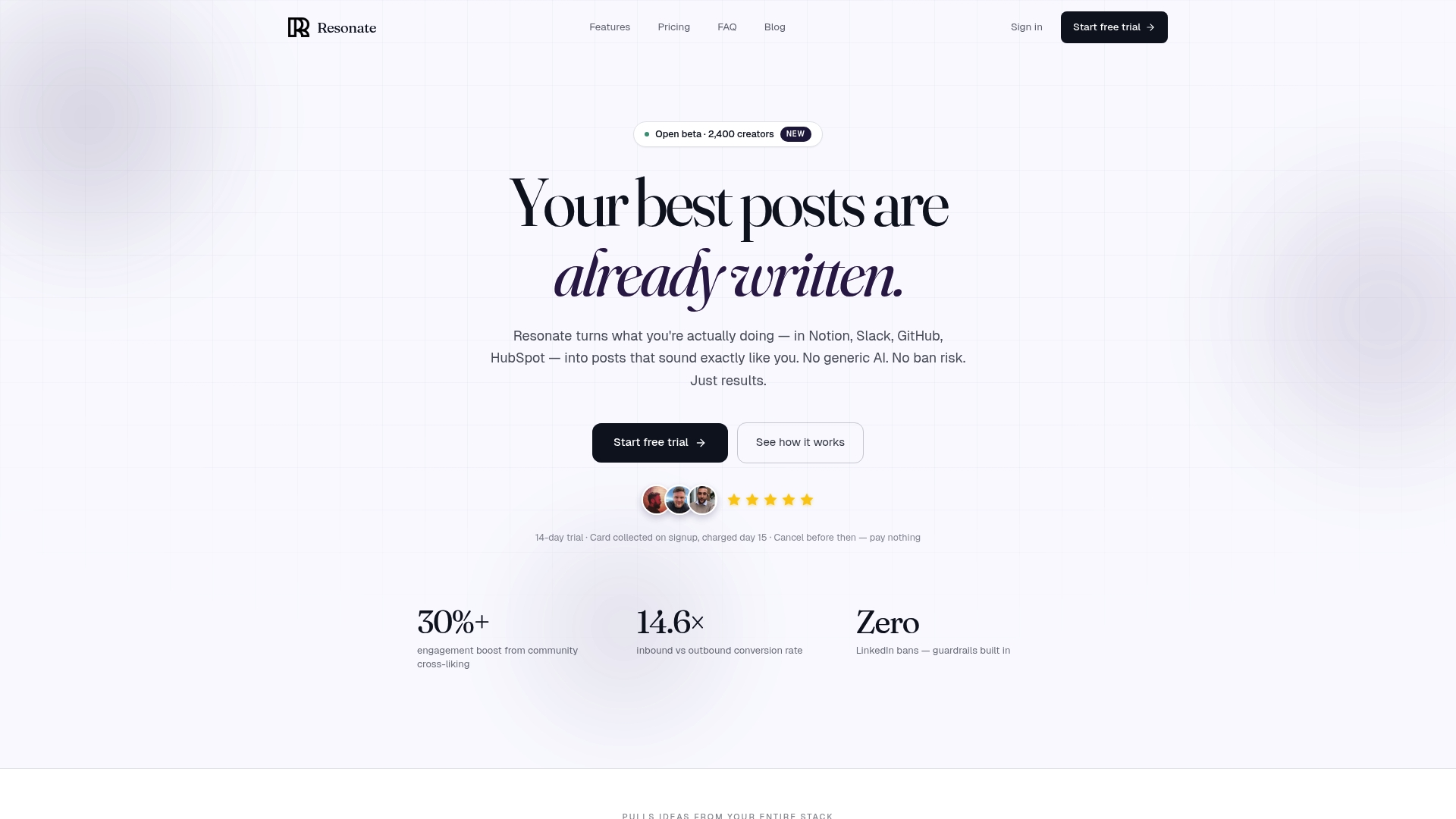
Resonate.ai connects to your actual work tools including Notion, Slack, GitHub, and HubSpot to surface post ideas from what you’re already doing. Instead of staring at a blank draft, you get AI-generated content suggestions calibrated to your specific voice and writing style. Resonate also predicts engagement before you publish, helps you build community boosts that amplify reach right after a post goes live, and includes built-in safety guardrails to keep your account protected. If you’re serious about LinkedIn growth and want a platform that handles the full workflow, not just the scheduling, Resonate is worth exploring.
Frequently asked questions
Which LinkedIn scheduler works best for carousels or document posts?
Third-party tools like Buffer, Hootsuite, and Later are required to schedule carousels or document posts, as LinkedIn’s native scheduler does not support these formats.
Can using a scheduling tool hurt my LinkedIn post reach?
No, most evidence shows third-party tools don’t reduce reach; post engagement shortly after publishing is what drives reach, not the software used to publish.
What’s the main benefit of Buffer for LinkedIn scheduling?
Buffer’s core value is its simple content queue combined with data-backed engagement benchmarks derived from large volumes of posts across the platform.
Who should use Hootsuite for LinkedIn?
Hootsuite is best for agencies or teams that need advanced analytics and governance, including social listening, team approvals, and cross-channel reporting.
Do LinkedIn scheduling benchmarks apply to all business types?
Benchmarks are useful starting points, but you should always test against your audience since engagement patterns vary significantly by niche, industry, and audience demographics.
Recommended

Content Writer @ Resonate
Charlotte explores LinkedIn content, personal branding, AI writing, and founder-led marketing at Resonate. She believes the best content comes from real experience, not generic advice, and writes practical insights to help founders turn what they already know into content that people want to read.
Write LinkedIn content that sounds like you
with Resonate's AI Voice Engine