How AI Tools Help Solo Professionals Win on LinkedIn
How AI Tools Help Solo Professionals Win on LinkedIn
 . If you want to try this yourself, spin up a draft with Resonate's LinkedIn content generator.
AI tools help solo professionals recover significant additional time each week by automating the routine tasks that eat into time better spent on actual client work. The U.S. Small Business Administration reports that solo business owners spend a substantial portion of their weekly hours on tasks that can be partially or fully automated. For LinkedIn content creators working alone, that number hits especially hard: drafting posts, triaging comments, repurposing content across formats, and scheduling all compound into a grind that leaves little room for strategy.
The core tasks AI handles well for solo creators include:
- Content drafting: turning bullet points into polished LinkedIn posts in minutes
- Inbox triage: flagging what needs a reply today versus what can wait
- Content repurposing: reshaping one newsletter or article into multiple post formats
- Scheduling and follow-up: queuing posts and nudging warm connections automatically
- Research: synthesizing background on topics or prospects before you write
The critical boundary is this: AI handles the volume, you handle the judgment. Platforms like Resonate go further by training on your actual voice patterns, so the output sounds like you wrote it, not a generic content machine.
How AI tools help solo professionals save time on LinkedIn
The biggest time drain for most solo LinkedIn creators is not writing the posts. It is everything around the posts: deciding what to write, finding source material, formatting for the feed, and then doing it all again three days later. AI compresses each of those steps.

Research tools like Perplexity AI save around 2.5 hours weekly on background research alone by synthesizing multiple sources into a cited answer in seconds. That time adds up fast when you are publishing consistently. On the drafting side, a Custom GPT loaded with your past posts, your topics, and your voice description can produce a week of LinkedIn content in under an hour versus the eight to twelve hours most solo creators spend manually.
Repurposing is where the math gets genuinely interesting. One long-form piece, a newsletter, a podcast transcript, or a case study, becomes five LinkedIn posts, a short video script, and a handful of comment replies. You write once; AI reshapes it for every format. Resonate’s content repurposing tools are built specifically for this workflow, pulling source material from connected apps and surfacing post ideas you would not have thought to write.
Pro Tip: Build a prompt library. Save every prompt that produces output you actually use. That library becomes your real productivity asset, and it gets sharper every week.
The discipline that separates solo creators who recover 15 - 25 hours weekly from those who pay for tools they barely open comes down to one rule: review every output before it publishes. AI drafts; you send. That 30-second review is what protects the voice your audience follows you for.
What AI copilots can handle beyond your content calendar
Solo professionals running a LinkedIn content business are also running a business. Contracts, invoicing, tax planning, client onboarding, and hiring contractors all demand time and expertise most creators never formally developed. AI copilots now handle many of the routine professional tasks that previously required expensive outside help.
The practical breakdown by function, including marketing tasks such as content strategy and SEO planning, is well detailed in this Fractional CMO vs. Marketing Agency: Which Do You Need? guide.
- Legal: contract review, NDA drafting, terms of service, and basic compliance checks
- Finance: expense categorization, invoicing strategy, and cash flow forecasting
- Marketing: content strategy, SEO planning, and competitive analysis
- Operations: client communication templates, process documentation, and standard operating procedures
- HR: job descriptions for contractors, candidate evaluation frameworks, and onboarding workflows
For new solo professionals especially, AI copilots act as a business mentor. Instead of paying $2,000 - $5,000 for a consultant to set up your business framework, you can work through each function with an AI copilot in days. The key is knowing when to escalate: high-stakes situations like litigation, complex tax structures, or contracts above $50,000 still warrant a human professional. AI handles the daily operational decisions; the expert handles the exceptions.
Solo founders with deep domain expertise get the sharpest returns. Bryant Chou’s approach at Webflow illustrates the principle: AI multiplies the edge you already have, it does not hand you one you lack. Point it at work you have done for years, and the output is genuinely useful. Point it at a domain you have never worked in, and you get confident-sounding nonsense.
How Resonate integrates AI deeply into your LinkedIn workflow
Most general-purpose AI tools treat LinkedIn as one output channel among many. Resonate is built around LinkedIn specifically, and the difference shows in how it connects to the rest of your work.
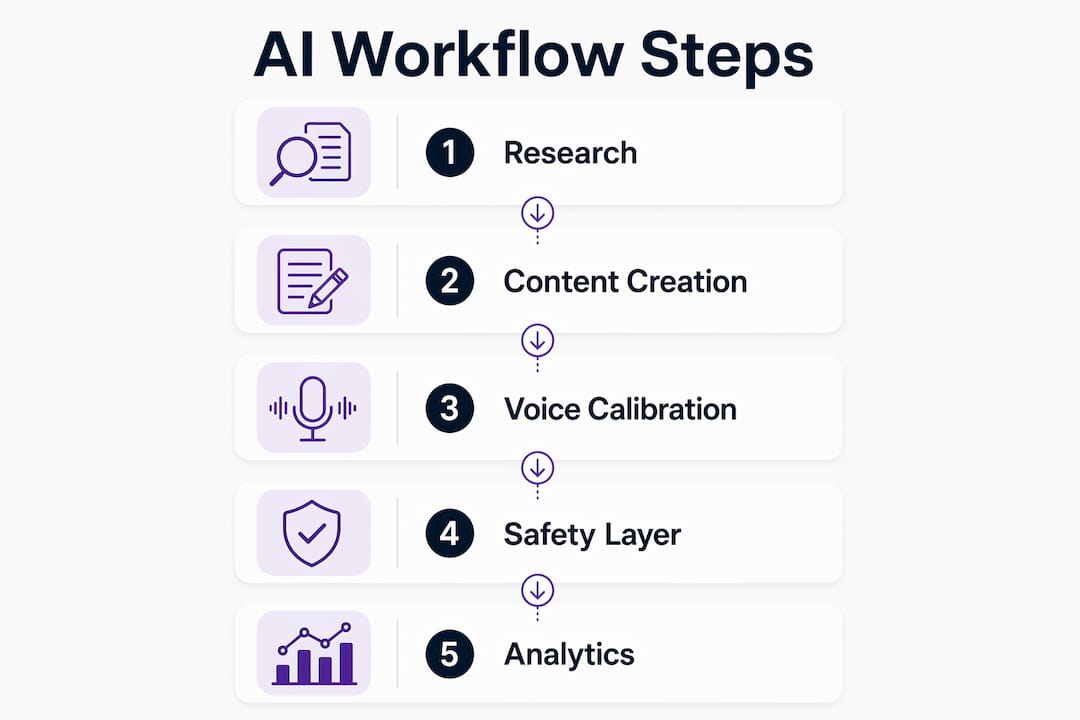
The platform pulls data from Notion, Slack, GitHub, and HubSpot to surface post ideas from your actual work, not from generic topic prompts. A product update in Slack, a closed deal in HubSpot, a commit note in GitHub: these become LinkedIn post candidates, pre-contextualized with your real details.
| Feature | What it does for solo creators |
|---|---|
| Voice calibration | Trains on your past posts so output matches your writing style |
| AI critique agents | Score drafts before publishing across multiple quality dimensions |
| Community boosts | Amplify reach immediately after a post goes live |
| Engagement prediction | Surfaces which post ideas are likely to perform before you write them |
| Safety guardrails | Configurable limits that prevent LinkedIn from flagging your account |
The safety layer deserves specific attention. Resonate’s outreach features apply guardrails and configurable posting limits that keep your account within LinkedIn’s acceptable use boundaries. Generic automation tools ignore this entirely, and accounts get restricted as a result. Resonate treats account safety as a core product requirement, not an afterthought.
For solo creators managing LinkedIn at scale, the MCP API access opens advanced workflows: connecting Resonate to custom pipelines, feeding it data from tools not in the standard integration list, and building automation loops that run without manual input.
Best practices for using AI without losing your voice
Starting with one tool for your single most time-consuming task beats buying a full stack on day one. Master that one workflow for 30 days before adding anything else. The creators who get the most from AI are not the ones with the most tools; they are the ones who have built the deepest habits with a focused few.
Every AI output needs a human edit before it publishes. This is not optional. AI is confident and sometimes wrong, and on LinkedIn your voice is your brand. Read the draft aloud. If it does not sound like you talking to a peer, it is not ready. Feed the AI examples of your real writing and the gap narrows, but the final edit stays yours.
Audit your tool stack every 90 days. Quarterly reviews that ask “did I use this in the last 30 days, and did it save me at least four hours?” prevent the $300-per-month subscription creep that quietly drains solo business margins. Remove anything that fails either test.
Pro Tip: Keep AI out of your deep work block. Strategy, relationship-building, and original thinking stay human-led. AI handles the mechanical repetition around those things, not the things themselves.
How to measure AI-driven engagement on LinkedIn
Engagement metrics on LinkedIn tell you whether your AI-assisted content is actually connecting, not just publishing. The numbers to track are impressions, engagement rate (reactions plus comments plus shares divided by impressions), follower growth rate, and profile views per post. These four together show reach, resonance, and conversion in one view.
Resonate’s analytics improve over time by learning which post formats, topics, and publishing times generate the most engagement for your specific audience. That feedback loop is what separates a platform built for LinkedIn from a generic scheduler. Over weeks, the engagement predictions get sharper because they are calibrated to your actual performance data, not industry averages.
The practical habit is a weekly 15-minute review: which posts outperformed, what they had in common, and what that implies for next week’s content. AI can surface the patterns; you decide what to do with them.
Data privacy and ethical use of AI in content creation
Every AI tool you connect to your LinkedIn account touches your professional network data. Before connecting any platform, check what data it stores, how long it retains it, and whether it uses your content to train shared models. Resonate’s security practices are publicly documented, which is the baseline you should expect from any tool handling your LinkedIn credentials.
The ethical dimension matters for your audience too. AI-generated content that presents fabricated expertise, invented statistics, or manufactured personal stories erodes the trust that makes LinkedIn valuable. Use AI to draft and structure; use your real experience to fill in the substance. The posts that build genuine authority are the ones grounded in work you have actually done.
Disclose AI assistance when it is material to your audience’s trust. Most LinkedIn readers understand that professionals use writing tools. What they do not forgive is content that misrepresents your actual knowledge or experience.
How to customize AI output to match your personal brand
Generic AI output has a recognizable texture: tidy bullet lists, safe phrasing, words no human actually says in conversation. The fix is not a better prompt; it is better input. Feed the AI your 10 best-performing posts, a description of your audience, your typical tone, and the topics you have genuine opinions on. The output shifts from average to recognizable.
For LinkedIn specifically, your personal brand lives in your point of view, not your formatting. AI can match your sentence length and vocabulary; it cannot replicate your specific take on an industry problem. Write that take yourself, even as a rough note, then let AI build the post structure around it. That combination, your insight plus AI’s execution, produces content that reads as distinctly yours while taking a fraction of the time.
Platforms like Resonate that train on your individual voice patterns get closer to this automatically. The LinkedIn content generator learns from your actual writing history rather than starting from a generic template, which means less editing and more posts that sound like you wrote them without the hours it would normally take.
Resonate gives solo creators their LinkedIn workflow back
Solo LinkedIn creators who want personalized, safe, and consistently on-brand content without spending hours each week have one clear option: a platform built specifically for that job. Resonate connects to the tools you already use, learns your voice from your real writing, and handles the full workflow from idea surfacing to post scheduling, with safety guardrails that protect your account.
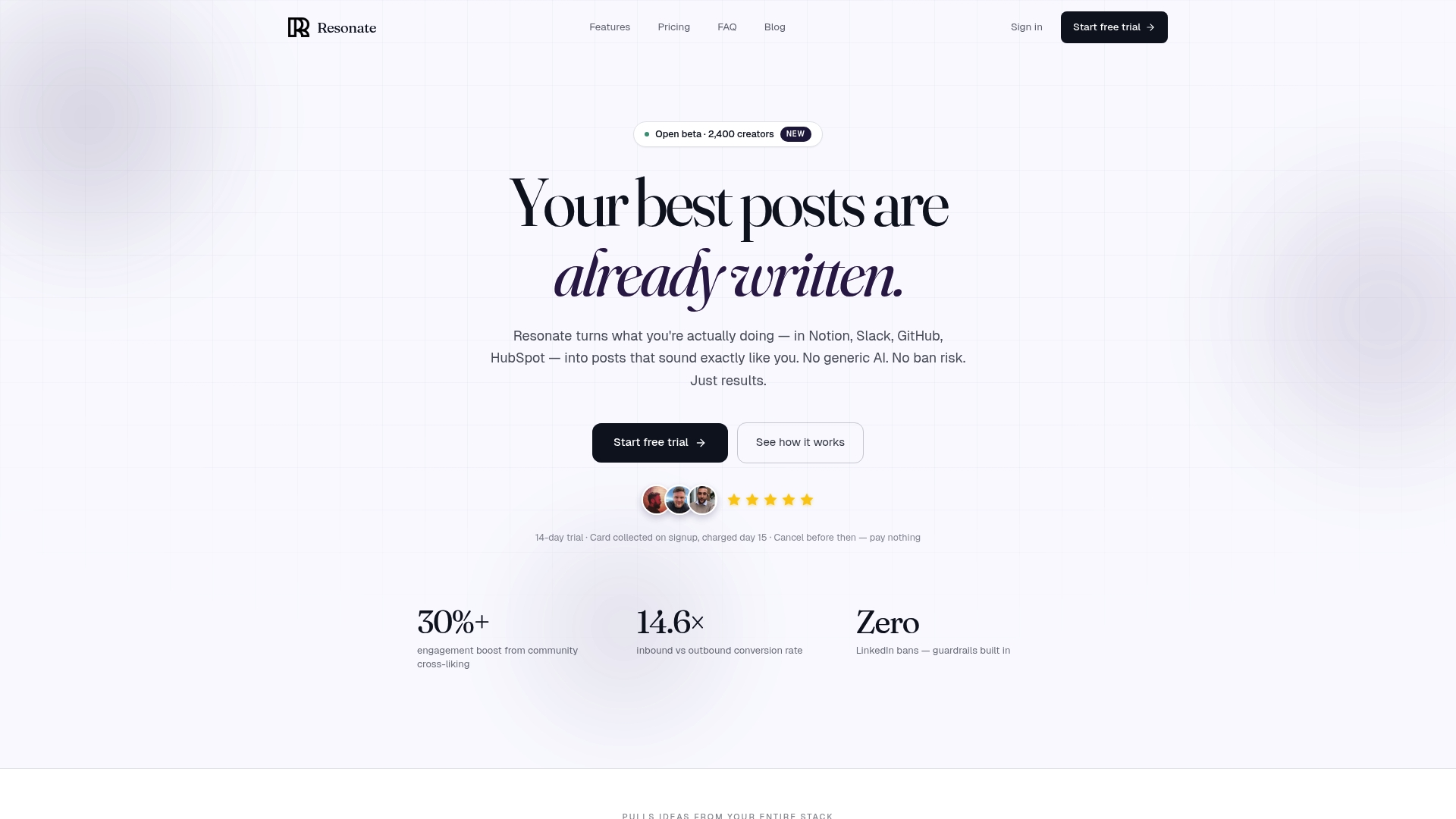
The AI critique feature scores every draft across multiple quality dimensions before it publishes, so you catch weak posts before your audience does. Community boosts amplify reach the moment a post goes live. And because Resonate pulls post ideas from Notion, Slack, HubSpot, and GitHub, you are never starting from a blank page. If you are a solo professional creator ready to stop treating LinkedIn as a second job, start with Resonate at Resonate.ai.
Key takeaways
AI tools for solo professionals deliver the highest returns when applied to a focused workflow rather than spread across a dozen loosely connected subscriptions.
| Point | Details |
|---|---|
| Time recovered weekly | The U.S. Small Business Administration puts automatable solo work at 21 hours per week, roughly two full workdays. Most solo professionals can expect to recover about two full workdays worth of time each week by automating routine tasks with AI. |
| AI copilots cover business ops | Contract review, invoicing, and hiring workflows are now handled at a fraction of traditional consulting costs. |
| Voice preservation is non-negotiable | Feed AI your real writing samples and edit every output before publishing to protect your personal brand. |
| Audit tools quarterly | Remove any tool that did not save at least four hours in the past 30 days to avoid costly subscription creep. |
| Resonate for LinkedIn | Resonate trains on your voice, integrates with your work tools, and applies safety guardrails to keep your account protected. |
Recommended

Content Writer @ Resonate
Charlotte explores LinkedIn content, personal branding, AI writing, and founder-led marketing at Resonate. She believes the best content comes from real experience, not generic advice, and writes practical insights to help founders turn what they already know into content that people want to read.
Write LinkedIn content that sounds like you
with Resonate's AI Voice Engine