One Console, Every Client's LinkedIn Voice
How do you safely manage multiple LinkedIn accounts for clients? The short answer
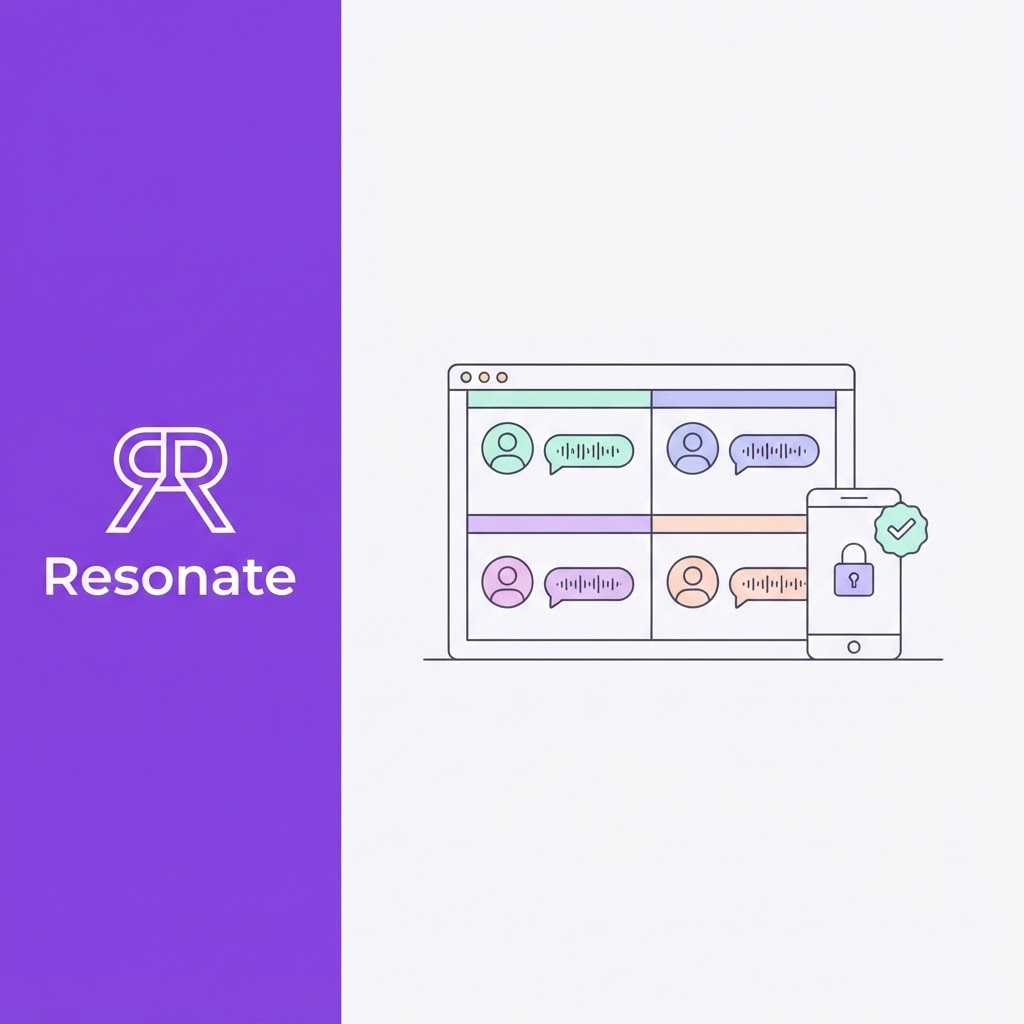
The safe way to manage multiple LinkedIn accounts for clients is to manage their content, not their logins. Each client keeps sole control of their own account. Your agency works in one console where every client has a separate workspace, a separate AI voice profile, and a separate approval link. Posts go live only after the client approves them.
Choosing software for this? See our list of the best LinkedIn tools for agencies.
What does this model do for an agency?
- It keeps client accounts safe: Nobody shares passwords, copies session cookies, or routes activity through proxies, all of which put accounts at risk under LinkedIn's rules.
- It keeps every client sounding like themselves: AI drafts from each client's own material and checks every draft against that client's voice, so ten clients do not end up sounding like one agency.
- It scales: One strategist can handle more clients when drafting, approvals, and reporting all happen in one place.
This guide covers what LinkedIn's rules allow agencies to do, what a LinkedIn agency dashboard needs, how to keep each client's voice separate, a multi-client workflow from onboarding to report, and how to protect clients' accounts and your agency when a client leaves.
Why should agencies manage content, not logins?
LinkedIn treats Company Pages and personal profiles very differently, and most agency mistakes come from mixing them up.
- Company pages have official roles for agencies: LinkedIn's Page admin roles let a Page's owner grant access to other members: a super admin controls everything, a content admin can create and manage posts and events, and an analyst can view performance. LinkedIn's permissions table also shows that super and content admins can post content through third-party sites. For a client's company page, ask for the content admin role, not super admin.
- Personal profiles have no agency role: Section 2.2 of the LinkedIn user agreement says members must keep their password secret, keep only one account in their real name, and not share their account with anyone else. Section 8.2 prohibits bots and unauthorized automated methods that add contacts, send messages, or create posts. There is no setting that lets an agency "log in as" a founder.
Which access methods fit LinkedIn's rules?
| Method | Fits LinkedIn's rules? | Why |
|---|---|---|
| Content admin role on a client's Company Page | Yes | It is LinkedIn's own system for delegated page management |
| The client approves drafts through a review link | Yes | The client stays in control; nobody uses their account |
| The client authorizes an app to publish posts they have approved | Generally yes | The client grants access through LinkedIn's own sign-in and can revoke it |
| Clients post approved drafts themselves | Yes | No access needed at all |
| Sharing the client's password | No | Breaks the no-sharing rule in Section 2.2 |
| Copying the client's session cookie into a tool | No | Acts as the client inside their session |
| Proxies, anti-detect browsers, or cloud phones per client | No | These tools exist to hide automated or shared activity from LinkedIn |
| Creating extra profiles for outreach | No | One account per real person |
Several tools in this space advertise proxies, separate browser fingerprints, or cloud phones for each client. Treat that as a warning sign. If a setup needs to hide what it is doing from LinkedIn, it is probably doing something LinkedIn does not allow, and the client's account carries the risk. Our guide to how LinkedIn actually detects automation explains why these setups get caught.
What does a LinkedIn agency dashboard need?
Once you have more than three or four clients, browser tabs and spreadsheets stop working. A good multi-client LinkedIn management console should cover eight things.
| Requirement | What it means | Why it matters |
|---|---|---|
| A workspace per client | Each client's drafts, calendar, ideas and results live in their own space | Stops content, data and mistakes crossing between clients |
| A voice profile per client | The AI learns each client's writing separately | Keeps ten clients from sounding like one agency |
| Ideas from the client's own work | Drafts start from the client's calls, notes and updates, not generic topics | Makes posts specific and credible |
| A review step before approval | Each draft is checked for opening, voice and likely response | Catches weak drafts before the client sees them |
| Client approval without a login | Clients approve or comment through a link, from any device | Approvals stop being the bottleneck |
| No shared passwords or cookies | Publishing happens through access the client grants and can revoke, or the client posts | Protects client accounts and your agency |
| Per-client reporting | Clear results for each client, ideally white-labelled | Shows value at renewal time |
| Team access controls | Strategists see only the clients they manage | Protects confidential client material |
What should you ask before you choose a tool?
- How does a client connect their account, and can they revoke access from LinkedIn's own settings?
- Does the tool ever ask for a client's password, ask you to install an extension, or use proxies?
- Is each client's voice trained separately, and can you see what it learned?
- Can a client approve a post without creating an account?
- What happens to a client's data when they leave?
If a tool cannot answer the first two clearly, keep looking.
How do you keep every client's voice separate?
The biggest quality risk in multi-client work is voice drift. When one writer or one AI setup drafts for many people, their posts start to share the same openings, rhythm, and favorite phrases. Readers who follow two of your clients notice, and so do the clients.
How do you build a voice profile for each client?
Start every client with their own material:
- 10 to 20 of their best past posts, chosen for range: a story, an opinion, or a how-to.
- Other writing in their voice, such as emails, talks, interviews, or call transcripts.
- A short rules list from a kickoff call: words they never use, topics they avoid, how formal they are, and whether they use emoji.
Keep each client's examples and rules in their own workspace, and never let one client's examples feed another's drafts.
Why start drafts from the client's real work?
Generic topics produce generic posts. Pull ideas from each client's own sources, such as customer calls, product updates, team wins, and the questions they get asked. Resonate's ideas engine draws from tools like Notion, Slack, and HubSpot, so each client's drafts start from their own material.
How do you check voice before the client sees the draft?
Run a voice check on every draft against that client's profile. It should flag words they would not use, sentences that run longer or shorter than their usual rhythm, and places where a specific detail has been replaced by a general claim. Resonate's Voice agent does this automatically against each client's voice profile.
How do you keep voice profiles current?
People's voices change. Every quarter, add each client's best recent posts to their profile and remove examples that no longer sound like them. Ask clients which recent posts felt most like them; their answer is the best training data you have.
What is the multi-client workflow, from onboarding to report?
Every client runs through the same loop. Only the voice, material, and approver change.

Step 1: Onboard
Onboard. Run a kickoff call, collect past posts and other writing, agree topics to avoid, and name one approver. For a Company Page, ask to be added as a content admin.
Step 2: Build the voice profile from the client's examples and rules
Build the voice profile from the client's examples and rules.
Step 3: Gather ideas from the client's work: call notes
Gather ideas from the client's work: call notes, product updates, wins, questions from customers.
Step 4: Draft with AI in the client's voice
Draft with AI in the client's voice, starting from those ideas.
Step 5: Review each draft for the opening
Review each draft for the opening, voice and likely response, and edit before the client sees it.
Step 6: Send for approval through a link the client can open on their phone
Send for approval through a link the client can open on their phone, with no login. Record their approval.
Step 7: Publish through access the client has granted and can revoke
Publish through access the client has granted and can revoke, or send the approved post for the client to publish.
Step 8: Report results per client each month
Report results per client each month, and use what worked to shape next month's ideas.
Approval by link matters more than it looks. It removes the most common bottleneck in agency work, a busy founder who never logs in, and it leaves a clear record that the client agreed to every post.
For the commercial side of this workflow, including scope, revision rounds, and approval turnaround, see our guide to how agencies price LinkedIn ghostwriting retainers.
How do you protect clients' accounts and your agency?
What should the contract say about account access?
Add a short clause to every retainer:
- The agency will never ask for, store, or use the client's LinkedIn password or session.
- Drafts are shared for approval through a review link or shared workspace, and nothing is published without the client's approval.
- Publishing happens through access the client grants and can be revoked at any time, or the client publishes approved posts themselves.
- For Company Pages, the client grants the agency the content admin role, not super admin.
- The agency does not run automated connection requests, messages, likes, or comments from the client's account.
That protects the client's account, and it protects your agency from being blamed if the account is ever restricted.
What belongs on an offboarding checklist?
When a client leaves, work through this list the same week:
- Cancel all scheduled posts for the client
- Export their posts, drafts and reports, and send them to the client
- Ask the client to remove the publishing app in LinkedIn's settings under Data privacy, then Permitted services
- Remove your agency's admin role from their Company Page, or ask them to
- Delete or archive their workspace, voice profile and source material as agreed
- Remove team members' access to that client
- Confirm in writing that access has been removed
How many clients can one strategist run?
It depends on the number of posts and how much strategy each client needs. As a rough guide, our agency retainer pricing guide estimates about 26.5 hours a month for a 12-post client done by hand, and about 18.7 hours with AI-assisted drafting. At around 120 productive hours a month, that is roughly 4 to 5 clients per strategist by hand, or about 6 with AI. These are illustrative figures; time your own team before you plan capacity.
How does Resonate's agency console work?
Resonate's agency plan is built around the workflow above:
- One voice profile per client, trained separately and checked on every draft.
- Client switching in one console, with unlimited internal seats for your team.
- Drafts from each client's own work, with ideas from tools like Notion, Slack and HubSpot.
- Hook, Voice and Virality agents reviewing every draft before the client sees it.
- Magic-link approvals, so founders approve from their phone with no seat or login.
- White-label ROI reports for each client.
- No Chrome extensions, cookie logins, or scraping.
If your agency also uses AI tools such as Claude or n8n, Resonate's MCP server scopes access tokens to each client's workspace, so one client's data stays separate from another's.
Frequently asked questions
How do agencies manage multiple LinkedIn accounts for clients?
The safe way is to manage clients' content, not their logins. Each client gets a separate workspace and voice profile in one console, approves posts through a link, and keeps sole control of their account. For Company Pages, agencies use LinkedIn's content admin role.
Is it against LinkedIn's rules to log in to a client's account?
LinkedIn's User Agreement tells members not to share their account with anyone else, so logging in as a client puts their account at risk. Use approval links and client-authorised publishing instead.
What is a LinkedIn agency dashboard?
One console where an agency manages LinkedIn content for several clients, with a separate workspace, voice profile, approval flow, and report for each.
How do I keep each client's voice different when using AI?
Train a separate voice profile for each client from their own posts and writing, start drafts from their own material, check every draft against their profile, and refresh the profile each quarter.
Are proxies or anti-detect browsers safe for managing client accounts?
No. They are designed to hide automated or shared activity from LinkedIn, which is itself a sign the activity breaks LinkedIn's rules. The client's account carries the risk.
Can I manage a client's company page?
Yes. Ask the client's super admin to give you the content admin role, which lets you create and manage posts and events without full control of the Page.
How many LinkedIn clients can one person manage?
It depends on post volume and strategy work. As a rough illustration, about 4 to 5 clients per strategist by hand, or about 6 with AI-assisted drafting, at 12 posts a client a month.
Running LinkedIn for several clients?
Resonate's agency console gives every client their own voice profile, drafts from their real work, magic-link approvals, and white-label reports, with no shared logins.

Content Writer @ Resonate
Charlotte explores LinkedIn content, personal branding, AI writing, and founder-led marketing at Resonate. She believes the best content comes from real experience, not generic advice, and writes practical insights to help founders turn what they already know into content that people want to read.
Write LinkedIn content that sounds like you
with Resonate's AI Voice Engine