Top 4 postmagnet.co Alternatives for Content Creators 2026
Top 4 postmagnet.co Alternatives for Content Creators 2026

Scheduling, managing, and customizing LinkedIn posts at scale demands more than basic automation tools provide. Many platforms either restrict AI voice training to costly tiers, limit multi-channel publishing, or lack safety features to prevent account risk during outreach. This comparison covers pricing, AI customization, workflow features, and outreach safety across four LinkedIn posting automation tools so you can select one that fits your content process and growth needs.
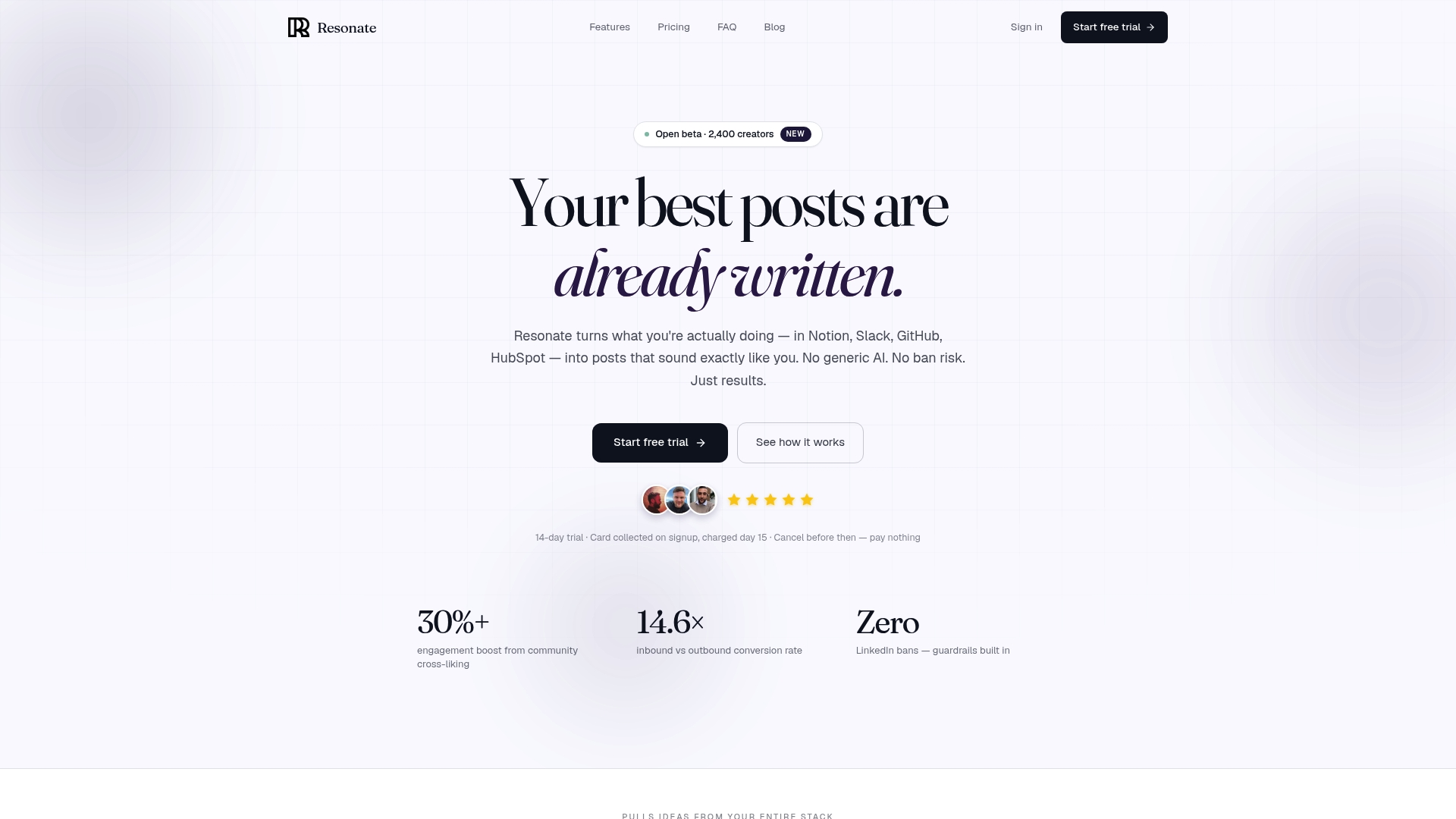
Resonate
At a Glance
Voice calibration trains on your actual writing and work data to produce LinkedIn posts that sound like you. The platform combines AI idea generation, multi-agent critique, and community boosts while enforcing safety guardrails for outreach and publishing.
Core Features
- Voice calibration that models your writing style from connected work tools.
- Content idea generation pulled from Notion, Slack, GitHub, and other activity to surface post prompts tied to real work.
- Multi-agent AI critique that suggests edits for clarity, tone, and engagement before you schedule.
- LinkedIn outreach automation with configurable guardrails to reduce account risk.
- Community boosts to amplify reach in the first minutes after posting and MCP API access for custom workflows.
Key Differentiator
Resonate’s training on your own writing patterns makes post drafts sound like you rather than a generic template. That voice-first approach sits next to explicit safety controls and community amplification, which separates it from tools that only automate posting.
Pros
- Authentic voice matching reduces edit time. Drafts typically need only light tweaks because the tone and phrasing reflect your real work and grammar.
- Single workflow for idea to analytics. You can generate ideas, get AI critique, schedule, and measure without exporting between tools.
- Safety guardrails for outreach lower the chance of LinkedIn policy violations by limiting volume and automating respectful pacing.
- Community boosts give an immediate visibility mechanism to seed early engagement and test post variants quickly.
- MCP and API access support agency-level automation and integration into client stacks for repeatable publishing flows.
Cons
- Focused on LinkedIn publishing. If you need multi-platform management across X, Instagram, and Threads, Resonate may feel too specialized.
Notable Integrations
- Notion
- Slack
- GitHub
- HubSpot
- Salesforce
- Wix
- Dropbox
- MCP protocols for programmatic workflows
Who It’s For
Content creators, marketing teams, and agencies who publish professional LinkedIn content and want tools that learn from their actual work. It fits authors who value voice fidelity and teams that need safe outreach and developer hooks for automation.
Unique Value Proposition
MCP and full API access let agencies and developers embed Resonate into client systems and scale voice-calibrated posting across accounts. That capability turns the platform into both a drafting tool and a programmable content layer for existing workflows.
Real World Use Case
A B2B SaaS founder connects product updates in Notion and customer stories in Slack. Resonate surfaces post ideas tied to launches, runs the drafts through AI critique, schedules content, and triggers community boosts to drive early traction without juggling multiple apps.
Pricing
Resonate offers a Starter plan at $99/mo, Growth at $199/mo (includes 3 people), Done-for-you at $999/mo, Team from $1,999/mo, and Agency at $299/mo + $99 per active client.
Website: https://www.getresonate.ai
Quotient
At a Glance
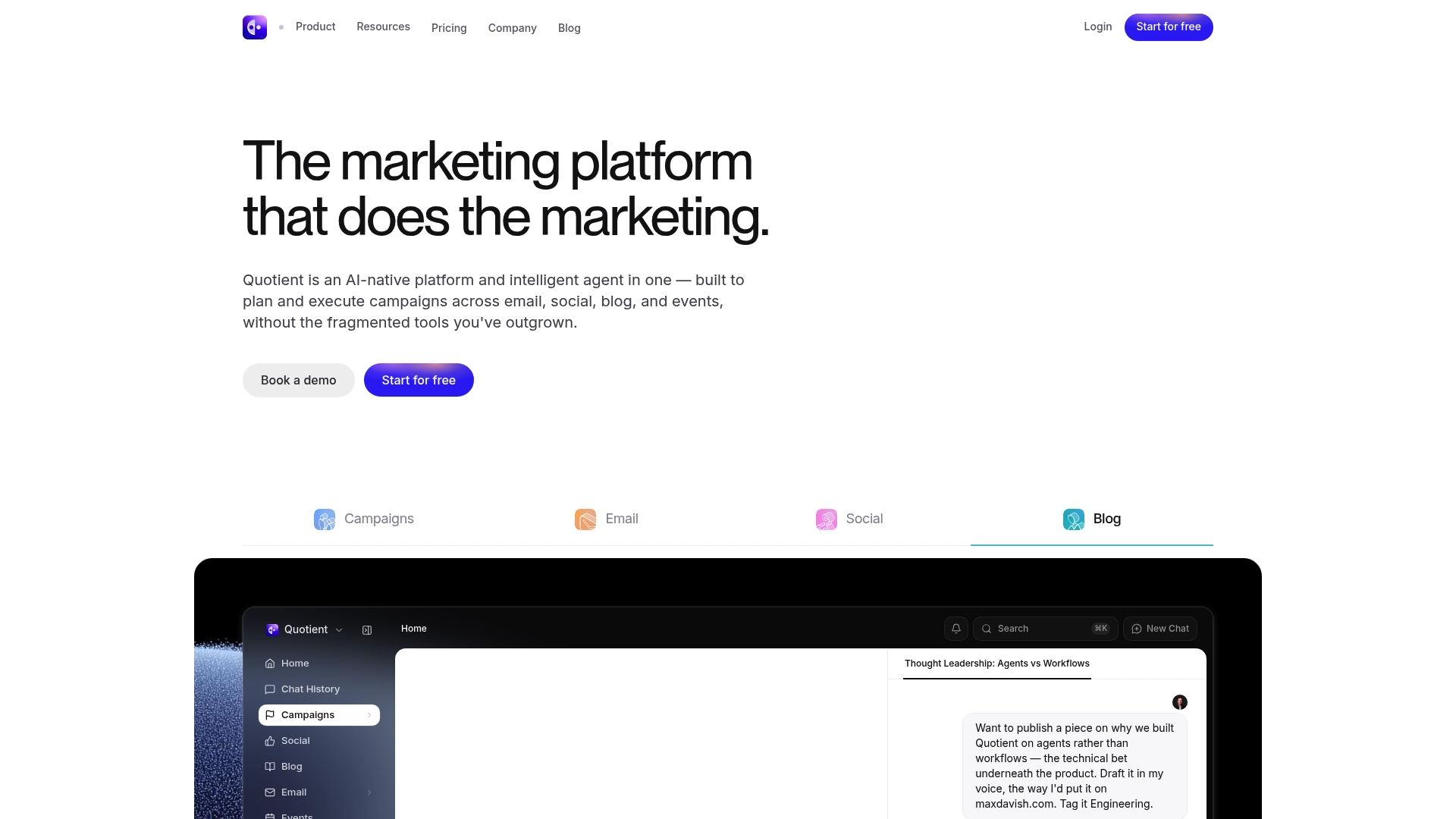
Quotient’s marketing materials state plans begin with a free tier, a $49/month Solopreneur option, and scale up to about $800/month for larger teams. The product pitches an AI-native agent that both plans campaigns and executes them across channels.
Core Features
- AI-powered campaign planning that maps objectives to multi-channel sequences for email, social, blog, and events.
- Multimodel AI routing allowing the platform to use Claude, GPT, or Gemini for different tasks within the same agentic workflow.
- Automated content creation and scheduling plus recurring tasks like competitor research and SEO audits.
- Integrations with CRMs and marketing tools so the system can push and pull campaign data.
Key Differentiator
Quotient centers on a single agent that not only recommends a strategy but also triggers execution across channels. That agentic approach aims at campaign orchestration rather than a single-channel content assistant. It targets marketing teams that want cross-channel automation, not solo specialists focused on personal LinkedIn voice like Resonate.
Pros
- The interface is reported to be easy to learn, which reduces onboarding time for marketing squads switching from spreadsheets or point tools.
- Content generation spans email, social posts, blogs, and event collateral so teams can reuse a single brief across outputs.
- Consolidates multiple marketing tools into one platform, cutting down tool switching for planners and ops staff.
- Intuitive interface plus automation reduces repetitive work so small teams can execute more campaigns without hiring immediately.
Cons
- Pricing may be expensive for solo creators or very small teams, making the entry economics unfavorable for freelancers.
- Template and design flexibility is limited compared with dedicated creative platforms, which can frustrate brands that need pixel-perfect assets.
- The platform may struggle with very large, multi-layered enterprise campaigns that require nuanced manual orchestration and bespoke approval flows.
- Some users ask for deeper connectors to niche tools outside the integrations list.
When It May Not Fit
If you are a solo creator or a tiny shop with strict budget caps, the pricing structure above can be prohibitive. If your team relies on highly customized design templates you will likely find the built-in options restrictive. Large enterprise programs with complex approval trees will outgrow the agentic workflow.
Notable Integrations
Quotient connects with common marketing and workflow tools including:
- Slack
- Salesforce
- HubSpot
- Attio
- Ahrefs
- Canva
- Linear
Who It’s For
Marketing managers and small to midsize teams that need coordinated campaigns across email, social, blog, and events. Best when you want the platform to act as both planner and executor so your team spends less time switching tools and more time iterating creative.
Real World Use Case
A product marketing team uses Quotient to plan a launch. The agent drafts campaign copy, schedules social posts, syncs leads into HubSpot, and runs SEO checks automatically. The team ships more content with fewer manual handoffs and faster campaign cycles.
Pricing
The vendor advertises a free starting tier and paid plans beginning at $49/month for Solopreneur users, scaling to about $800/month for larger teams. Overage charges apply based on usage and team size, so costs rise with scale.
Website: https://getquotient.ai
PostMagnet

At a Glance
A free plan that supports five posts per month sits next to Pro and Premium tiers, making PostMagnet accessible for casual creators while offering higher-volume options for teams. The product combines chat based AI writing, visuals, and multi platform publishing into one workflow focused on LinkedIn growth.
Core Features
The platform includes an AI Post Builder and a 24/7 AI assistant for real time writing help, feedback, and rewrites. It also offers content calendars, a Kanban pipeline, and a hook generator to speed draft creation.
PostMagnet supports multi platform publishing to LinkedIn, X, and Reddit, plus tools for AI generated infographics and quote banners. It adds YouTube to LinkedIn conversion and a profile audit feature aimed at improving discoverability.
Key Differentiator
PostMagnet’s angle is the combination of LinkedIn centric workflows with cross platform republishing and built in visual assets. That mix lets a creator write one voice calibrated post, generate a banner, and push tailored variants to X and Reddit without copying between tools.
Pros
- Offers an all in one flow for writing, scheduling, publishing, and visuals so you can avoid juggling separate tools. This reduces manual copy and paste during execution.
- Voice training adapts AI outputs to your style, which helps maintain authenticity across republished variants.
- Multi platform publishing supports LinkedIn, X, and Reddit, so teams managing several channels can publish from a single calendar.
- Includes visual generation for infographics and quote banners, useful when you need quick, on brand images for LinkedIn posts.
- A free perpetual plan and an inexpensive Pro tier lower the barrier for founders and solo creators to experiment.
Cons
- AI customization is more limited than platforms offering full custom model training; power users who need deep fine tuning may feel constrained.
- Several capabilities, such as analytics and trending feeds, are listed as beta or coming soon and may not match mature competitors yet.
- Pricing transparency is partial in places; while base tiers are public, some enterprise or team details are not fully documented.
- The platform depends on social network APIs, so changes in those APIs could affect publishing reliability.
When It May Not Fit
If you require enterprise grade analytics today or highly bespoke AI fine tuning, PostMagnet may feel premature because several signals and reporting features remain in beta. Teams that rely on guaranteed API stability for mission critical publishing should account for potential downstream disruptions.
Who It’s For
Creators, founders, and small marketing teams who prioritize consistent LinkedIn output and want to repurpose that content quickly to X and Reddit. Good for solo entrepreneurs who value low friction publishing and built in visual assets.
Real World Use Case
A solo founder drafts a weekly thought leadership thread in the chat interface, uses the hook generator to test three openings, creates a quote banner, and schedules variants to LinkedIn and X for optimal times. That workflow saves hours compared with separate design and scheduling tools.
Pricing
PostMagnet lists a Free plan with 5 posts per month. The Pro tier is $29/month for 50 posts and full AI features. Premium is $59/month with unlimited posts and team features.
Website: https://postmagnet.co
QuickMail
At a Glance
QuickMail’s marketing materials cite over 12 years of product development and innovation, with early features like inbox rotation and time based attribution statistics. That longevity claim frames why the tool bundles deliverability heuristics with campaign analytics.
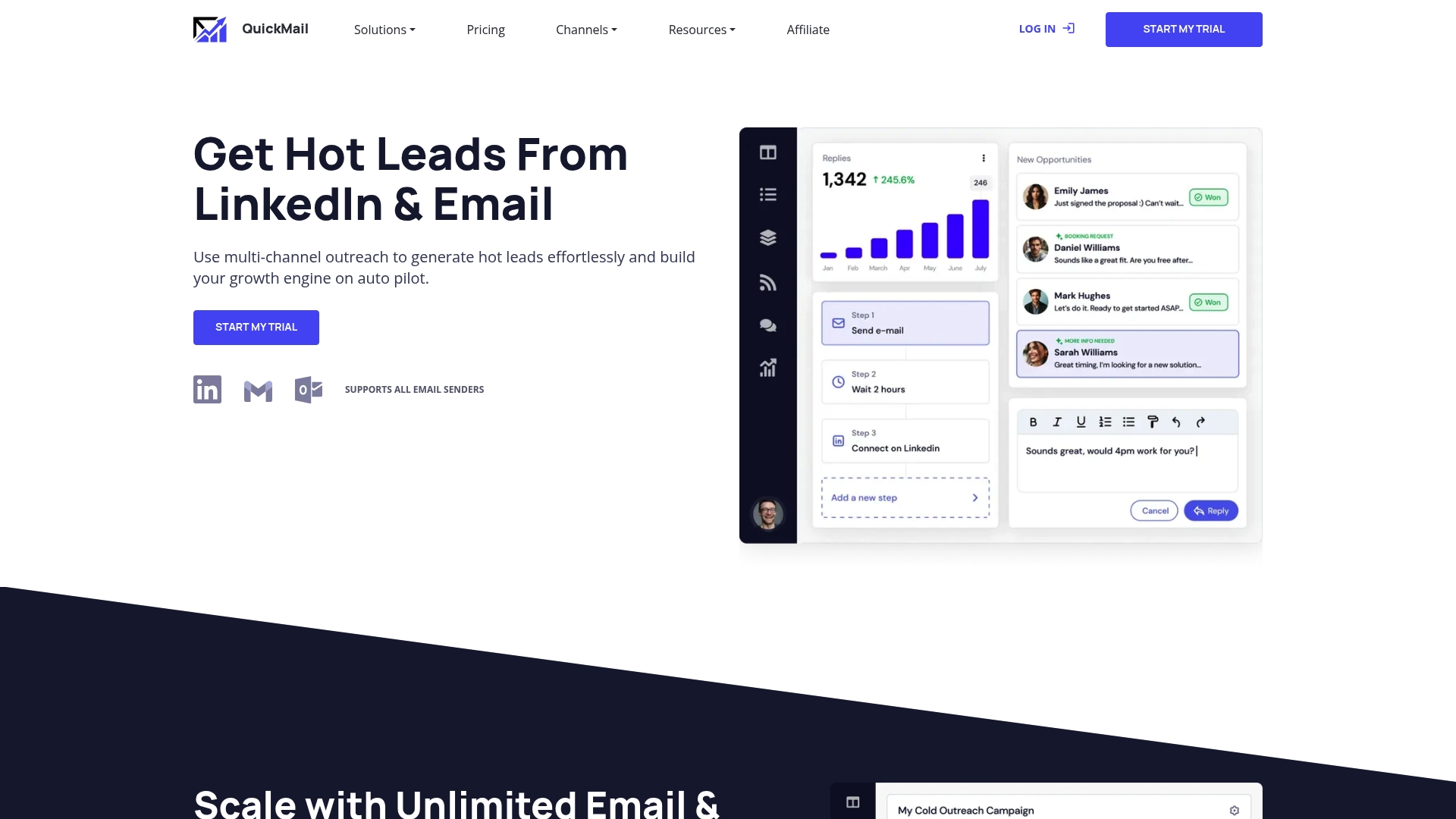
The platform focuses on automated cold outreach across email and LinkedIn while centralizing replies and sender management for growth teams.
Core Features
- Inbox Rotation that cycles messages across senders to protect deliverability and avoid account throttling.
- Unlimited email & LinkedIn senders so agencies can scale campaigns without per sender gates.
- Deliverability AI for automated suggestions to reduce spam risk and improve inbox placement.
- Manage replies from a single inbox with role based access and audit logs.
- Week by week analytics, A B testing, blacklist monitoring, and native connections to major mail providers.
Key Differentiator
QuickMail combines predictive deliverability tooling with true multi channel outreach and campaign level analytics. The package is pitched at teams that need both automated sender hygiene and the ability to run A B tests across sequences and channels in one place.
Pros
- Users report improved open rates and more meetings booked after adopting QuickMail, which supports the platform’s focus on deliverability and sequence optimization.
- Unlimited senders remove a common scaling constraint for agencies managing dozens of client mailboxes.
- Central reply handling and role based controls reduce context switching for SDRs and managers.
- The analytics suite gives week over week comparisons and clean A B test reports that make messaging decisions faster.
- A long product history means many outreach edge cases are already addressed in the workflow and features.
Cons
- Multiple reviews and the vendor data flag customer support as a recurring pain point, including difficulty canceling accounts and unclear refund practices.
- Prospect organization still requires manual work for some teams, which increases list prep time before campaigns launch.
- Integration hiccups have been reported for specific connectors, so expect some setup troubleshooting on complex stacks.
When It May Not Fit
If you need white glove onboarding and fast reactive support, QuickMail’s support issues may be a blocker. If your workflow depends on pristine prospect tagging and automated enrichment, you may spend time building processes outside the app. Buyers who require guaranteed prorated refunds for cancellations should budget that risk.
Notable Integrations
- Gmail GSuite
- Outlook Exchange
- Custom SMTP IMAP
- Amazon SES
- PostMark
- MailJet
- MailGun
- Zoho Email
Who It’s For
Growth teams, lead generation agencies, and sales professionals running high volume outbound across email and LinkedIn who prioritize sender health and campaign experimentation. Best fit for teams willing to own some prospect ops and accept a support trade off for advanced deliverability features.
Real World Use Case
A lead generation agency uses QuickMail to run parallel sequences for eight clients. They rotate senders, A B test subject lines, and aggregate replies into a single inbox. Those user reported improvements in deliverability translated into more qualified responses and a higher meeting conversion rate for the agency.
Pricing
Pricing details are not provided in the supplied data. Prospective buyers should review QuickMail’s site or request a demo for up to date plan and billing terms.
Website: https://quickmail.com
Comparative Analysis of LinkedIn Posting Automation Platforms
In assessing platforms for LinkedIn content optimization and workflow automation, four contenders offer distinct advantages for varying use cases: Resonate.ai, Quotient, PostMagnet, and QuickMail. Each tool caters to specific users through unique features and integrations, allowing individuals and teams to achieve their objectives efficiently and effectively.
Customization and User Voice Adaptability
Resonate.ai excels in creating LinkedIn posts that closely mirror the user’s authentic voice. By training its algorithms on the user’s own writing and collaborative activity, this platform generates drafts requiring minimal revising, suitable for professionals aiming to uphold a personal touch in their communications. In contrast, while PostMagnet integrates basic voice training for multi-platform publishing, its depth in this area does not parallel the extensive customization provided by Resonate.ai’s calibration methods.
Multi-platform and Campaign Coordination
For users requiring cohesive management beyond LinkedIn, Quotient outshines others by offering campaign planning across email, blogs, events, and social media. Its “agentic” structure allows for integration and execution of complex marketing workflows. Meanwhile, PostMagnet serves mid-level multi-channel publishing with LinkedIn, X, and Reddit, alongside tools like infographics creation, but lacks Quotient’s campaign orchestration.
Pricing and Accessibility for Small Teams
Both PostMagnet and QuickMail provide economic entry options beneficial for freelancers and small agencies. PostMagnet includes a perpetual free plan supporting limited functions, whereas QuickMail caters to small businesses prioritizing high-volume controlled outreach with detailed deliverability analytics.
Best Fit Recommendations
- Resonate.ai: Professionals dedicated to maintaining authentic LinkedIn presence, focusing on content reflective of unique voice patterns.
- Quotient: Teams seeking a unified platform for cross-channel marketing campaigns including social media, email, and blogs.
- PostMagnet: Small creators and startups diversifying content across LinkedIn, Reddit, and X while benefiting from basic free-tier support.
- QuickMail: Lead-generation agencies requiring deliverability tools for campaign analysis and targeted cold outreach management.
Our Pick
While all platforms deliver value, Resonate.ai stands out for its exceptional ability to adapt and represent the user’s authentic writing style. This distinctive calibration offers personalization for LinkedIn content creators, making it a preferred choice for individuals and organizations prioritizing personalized messaging. For those requiring broader campaign integration, however, Quotient or PostMagnet may be more suitable due to their expansive multi-channel capabilities.
LinkedIn Posting Automation Tools Compared
Choose the tool that best matches your LinkedIn content needs, focusing on personalization, functionalities, integrations, and pricing.
| Tool | Core Capability | Key Advantage | Best For | Pricing | Limitation |
|---|---|---|---|---|---|
| Resonate | LinkedIn post creation and outreach automation | Customizable voice calibration and API access | Teams focused on LinkedIn-specific tasks | Starter: $99/mo | Primarily LinkedIn-focused |
| Quotient | Multi-channel campaign planning and execution | Single-agent orchestration model | Marketing teams running multi-channel campaigns | $49/month Solopreneur plan | Limited template and design flexibility |
| PostMagnet | AI-assisted multi-platform publishing with visuals | Visual and text asset generation | Founders prioritizing LinkedIn | Free plan available; $29/month Pro plan | Several features in beta or development |
| QuickMail | Automated email and LinkedIn outreach | Focus on deliverability with outreach scaling | Lead generation agencies | Not disclosed | Reported challenges with customer support |
Explore a Personalized LinkedIn Posting Solution Built for Creators
If you are searching for postmagnet.co alternatives that deliver truly authentic and voice-calibrated content, Resonate offers a standout experience. This platform tackles the challenge of generating LinkedIn posts that reflect your real writing style and professional insights by training AI on your actual work tools like Notion, Slack, and GitHub. This means less time rewriting and more time engaging your audience with posts that feel genuinely yours.
Ready to reduce guesswork and safely automate your content workflow? Visit Resonate to unlock AI-powered idea generation, community boosts, and multi-agent critique specifically designed to amplify your LinkedIn presence. Start crafting posts that truly resonate with your network and boost your professional visibility now.
Frequently Asked Questions
How does Resonate improve the process of posting on LinkedIn?
Resonate enhances LinkedIn posting by providing voice calibration that models your writing style from connected work tools. This feature enables drafts that closely resemble your authentic tone, reducing edit time significantly as drafts typically need only light tweaks. Start using Resonate to effortlessly align your posts with your personal style.
What is the difference between Quotient and Resonate for LinkedIn automation?
Quotient excels in multi-channel campaign planning and execution, providing a single agent that handles strategy and implementation across various platforms. In contrast, Resonate focuses specifically on LinkedIn, offering personalized voice calibration and automation that may better suit content creators prioritizing authenticity. Choose Resonate for its specialized capabilities in LinkedIn posting, especially if voice fidelity matters to you.
Which platform offers community engagement features alongside posting automation?
PostMagnet includes community boosts to amplify your post’s reach immediately after publishing. This contrasts with Resonate, which offers voice calibration and a more individualized approach to drafting. Consider PostMagnet if community engagement right after posting is a priority for your strategy.
Can I use QuickMail for LinkedIn outreach as well?
QuickMail specializes in automated cold outreach predominantly through email and LinkedIn, but it may not provide the same level of writing style personalization as Resonate. If your goal is to maintain an authentic voice in your LinkedIn outreach, opting for Resonate might be beneficial for your needs.
How does pricing for Resonate compare to alternatives like PostMagnet?
Resonate offers plans starting at $99/mo. In comparison, PostMagnet’s Pro tier begins at $29/month, focusing on multi-platform publishing without the same depth in voice matching. Explore Resonate for cost-effective options that prioritize voice fidelity in LinkedIn content.
Recommended

Content Writer @ Resonate
Charlotte explores LinkedIn content, personal branding, AI writing, and founder-led marketing at Resonate. She believes the best content comes from real experience, not generic advice, and writes practical insights to help founders turn what they already know into content that people want to read.
Write LinkedIn content that sounds like you
with Resonate's AI Voice Engine