AI LinkedIn Posts Without Losing Authenticity
AI LinkedIn Posts Without Losing Authenticity
 . If you want to try this yourself, spin up a draft with Resonate's LinkedIn content generator.
You can use AI for LinkedIn posts and keep your voice intact - but only if you write the opening sentence yourself and treat AI as a structure tool, not a ghostwriter. The research is clear: Fully AI-drafted LinkedIn posts can drop from a typical 28,000 - 40,000 impressions to under 4,500, but switching to a human-first draft workflow recovers reach within about two weeks. The single next step you can take in under ten minutes: write your first sentence by hand, then paste it into your AI tool with the instruction “expand this without rewriting the opening or adding adjectives.”
Stat: Human readers identify AI-smoothed content in approximately 0.5 seconds - fast enough that a single scroll-past trains the algorithm to suppress your next post before you’ve even noticed the drop.
Pro Tip: Feed your three highest-performing posts to your AI tool as style references before writing anything new. Instruct it explicitly: “Match the sentence length, phrasing, and tone of these examples - do not add adjectives or rewrite my sentences.”
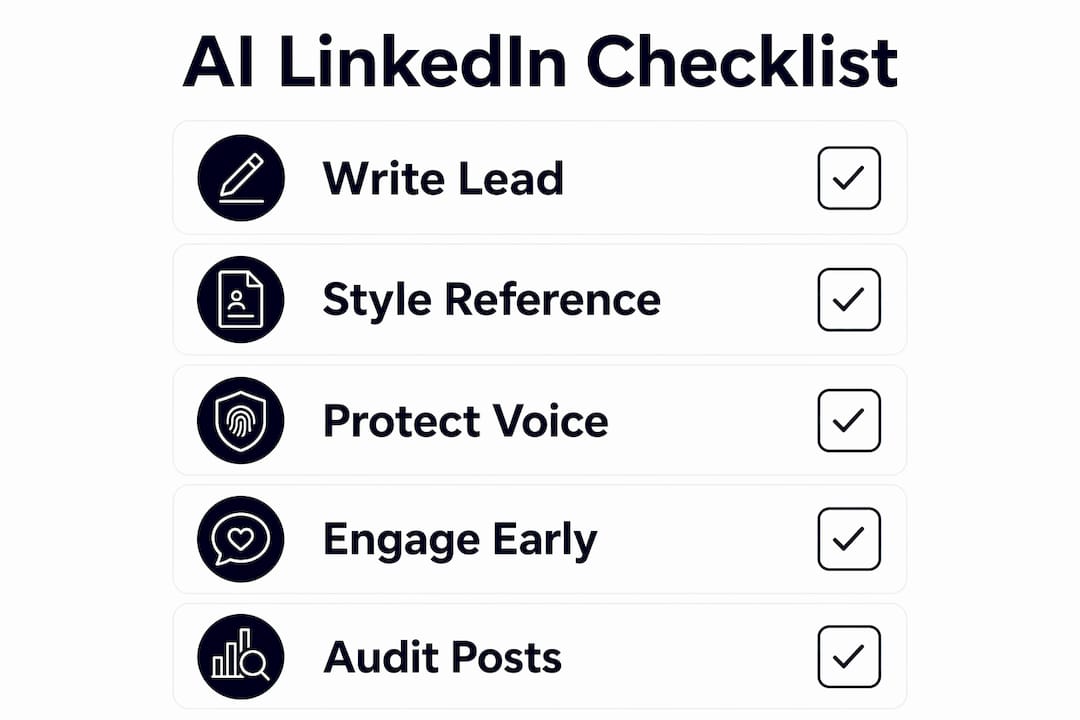
Five-step checklist before you hit publish
Run this before every AI-assisted post goes live. It takes three minutes and catches the mistakes that quietly kill reach.
- Write the lead line yourself. The opening sentence carries your voice fingerprint; AI almost always smooths it into something generic.
- Attach one verifiable detail. A specific date, number, client name, or project outcome that only you could know. Generic posts have none.
- Use AI for structure, not sentences. Ask it to reorganize your draft or suggest a stronger ending - not to rewrite your paragraphs.
- Read it aloud. If you stumble or it sounds like a press release, it needs another pass. Your ear catches what your eye misses.
- Own the first-hour replies. Respond to every comment within 60 minutes of posting. This is the signal the algorithm uses to decide whether to keep distributing.
Pro Tip: The most common slip-up is letting AI rewrite your second and third paragraphs after you’ve protected the opener. Lock those too - paste them in separately and ask only for a structural suggestion, not a rewrite.
Why authenticity on LinkedIn is a platform signal, not just a feeling
LinkedIn’s algorithm doesn’t run an AI detector. The suppression is behavioral. Human readers spot AI-smooth “flavor” in roughly half a second and scroll past - and enough scroll-pasts in the first hour tell the algorithm your post isn’t worth distributing further. The penalty is real and compounding: lower early engagement leads to reduced reach, which leads to fewer comments, which confirms the suppression.
IMD’s Prashant Saxena frames this as a systemic issue, not a stylistic one. Authenticity rests on three pillars - credibility, transparency, and reputation - and all three erode when content loses its human texture.
The practical implication: a post that sounds like you, even if imperfect, will outperform a polished AI draft almost every time.
How to build a repeatable AI workflow that keeps your voice
The workflow takes roughly 20 minutes per post when AI handles framing and you handle voice. Here’s the sequence:
- Draft the bones yourself. Write the opening sentence and two or three raw bullet points of what you actually want to say. No polish required.
- Feed style references. Paste three to five of your highest-performing past posts into your AI tool. Instruct it to match their sentence length, pacing, and vocabulary - not to improve them.
- Use AI for structure only. Ask: “Reorganize these points into a logical flow. Do not rewrite any sentence. Do not add adjectives.” That’s the prompt pattern that preserves voice.
- Add one human-only detail. A specific number, a named person, a date, a project outcome. This is the detail AI cannot invent and readers cannot ignore.
- Run the human-edit pass. Read aloud. Restore any sentence AI softened. Check that your opening is still yours word-for-word.
For solo professionals using AI tools, the biggest time-saver is connecting your work tools - Notion, Slack, HubSpot - so post ideas surface from real work rather than from prompts you have to invent. Resonate does this natively, pulling context from your integrations to suggest ideas grounded in what you’re actually doing, then generating drafts trained on your own voice patterns rather than a generic style.
Pro Tip: Never let AI touch your opening sentence or any phrase you’ve used consistently across posts - those are your voice fingerprints. Flag them in your draft before pasting into any tool.

Building trust on LinkedIn also means choosing depth over breadth: a narrow, consistent point of view compounds over time in a way that broad, crowd-pleasing content never does.
What guardrails actually protect your account and your reach
Automation without limits is where accounts get into trouble. These are the concrete guardrails worth setting before you turn on any scheduling or posting automation.
- Disclosure phrasing: Test your AI disclosure language with a small group for clarity. IMD recommends targeting roughly 80% comprehension - something like “drafted with AI assistance, edited by me” reads clearly and positions honesty as a feature, not a confession.
- Frequency limits: Posting more than once per day on LinkedIn tends to split engagement rather than compound it. Set a hard cap in your scheduling tool.
- Comment and response policy: Automated comments are the fastest way to signal inauthenticity. Never automate replies; always respond manually, especially in the first hour.
- Rate limits for automated posting: Sudden spikes in posting frequency trigger platform scrutiny. Ramp up gradually - no more than one additional post per week when increasing cadence.
Resonate’s configurable safety limits map directly to these risks: you set frequency caps, voice-check thresholds, and engagement rules before any post goes live. The LinkedIn engagement automation risks that catch most users off guard - sudden cadence spikes, templated comment patterns - are the exact behaviors Resonate’s guardrails are built to prevent.
Pro Tip: In the first hour after posting, reply to every comment with a sentence that references something specific the commenter said. This resets the algorithm’s authenticity signal and often triggers a second distribution wave.
How to measure whether your AI-assisted posts are actually working
Pick four metrics and track them per post from day one.
- First-hour engagement rate. Comments and reactions in the first 60 minutes are the strongest predictor of total reach. A drop here is your earliest warning signal.
- Comment depth. Are people writing full sentences or just reacting? Substantive comments indicate genuine resonance, not algorithmic charity.
- Share rate. Shares are the rarest and most meaningful signal - they mean someone staked their own credibility on your content.
- Follower conversion per post. New followers gained per post tells you whether your content is attracting the right audience or just performing for your existing one.
A/B test structure: Run two to four human-first drafts as your control, then two to four AI-assisted posts (with full human-edit pass) as your treatment. Keep topic and posting time consistent. Evaluate after eight posts total - that’s enough signal without waiting months.
| Metric | Healthy signal | Warning signal |
|---|---|---|
| First-hour engagement | Matches or exceeds your baseline | Drops significantly vs. control |
| Comment depth | Multiple full-sentence replies | Mostly emoji reactions |
| Reach recovery timeline | Within 2 weeks of workflow change | Still suppressed after 4 posts |
| Disclosure comprehension | most people understand your AI note | Confusion or negative comments |
Stat: Switching from fully AI-drafted to human-first posts restored impressions within about two weeks, recovering from under 4,500 impressions back to 28,000 - 40,000 across several posts - a realistic benchmark for your own recovery timeline.
For broader visibility strategy, the AI visibility guide from Marvin Growth Partners covers how authentic content signals compound across search and discovery channels beyond LinkedIn alone.
Common mistakes that make posts feel AI-written (and fast fixes)
Most authenticity failures come from the same handful of errors.
- Generic phrasing with no specifics. “I learned a lot from this experience” tells no one anything. Fix: replace with the one concrete thing you actually learned.
- Overuse of lists and headers. AI defaults to bullet points. A post that’s 80% bullets reads like a slide deck, not a person. Fix: convert at least two bullets into a sentence or two of prose.
- False polish. Sentences that are grammatically perfect but emotionally flat. Fix: read aloud and add one word or phrase that sounds like how you actually talk.
- Automated engagement without human follow-through. Scheduling the post but ignoring the comments is the fastest way to train the algorithm against you.
Before/after:
AI-generic: “Excited to share that our team has achieved a significant milestone in our growth journey.”
Authentic: “We signed our 50th client last Tuesday. I told the team at 9 AM. By noon, three of them had already sent me memes about it.”
To audit past posts: read your last ten and mark any sentence you couldn’t have written about someone else’s experience. If fewer than half qualify, your voice has drifted.
Key Takeaways
AI-assisted LinkedIn posts preserve reach and authenticity when you write the opening yourself, attach one verifiable detail, run a human-edit pass, and measure first-hour engagement as your primary signal.
| Point | Details |
|---|---|
| Write the lead yourself | Your opening sentence is your voice fingerprint - never let AI draft it. |
| Attach one verifiable detail | A specific number, name, or date that only you could know prevents generic drift. |
| AI handles structure, not sentences | Use AI to reorganize and outline; keep all sentence-level writing human. |
| Measure first-hour engagement | A significant drop vs. your baseline is your earliest warning of suppression. |
| Resonate for safe automation | Resonate trains on your voice patterns and applies configurable safety limits before any post goes live. |
The workflow-first case for protecting your voice
The conventional wisdom says authenticity is about being vulnerable or personal. That’s only part of it. The deeper issue is consistency: your audience builds a mental model of you across dozens of posts, and the moment a post sounds like it came from a different person, that model breaks. Trust doesn’t recover quickly.
What actually works is treating your voice as a technical asset, not a soft preference. Boundary-setting - deciding which private details stay private and which recurring signals define your public presence - prevents the drift toward purely algorithm-optimized content. The writers and professionals who sustain real LinkedIn engagement over years aren’t the ones who post the most. They’re the ones whose posts sound the same whether they got 12 reactions or 12,000.
One situation where pulling back automation entirely makes sense: high-stakes announcements, legal or financial disclosures, or anything where the stakes of a misread tone are real. Those posts deserve a full human draft, no AI involvement, and a second read from someone who knows you.
Resonate fits into every step of this workflow
If you’ve read this far, you already have the workflow. Resonate is built to handle the steps that don’t require your voice - and stay out of the ones that do.
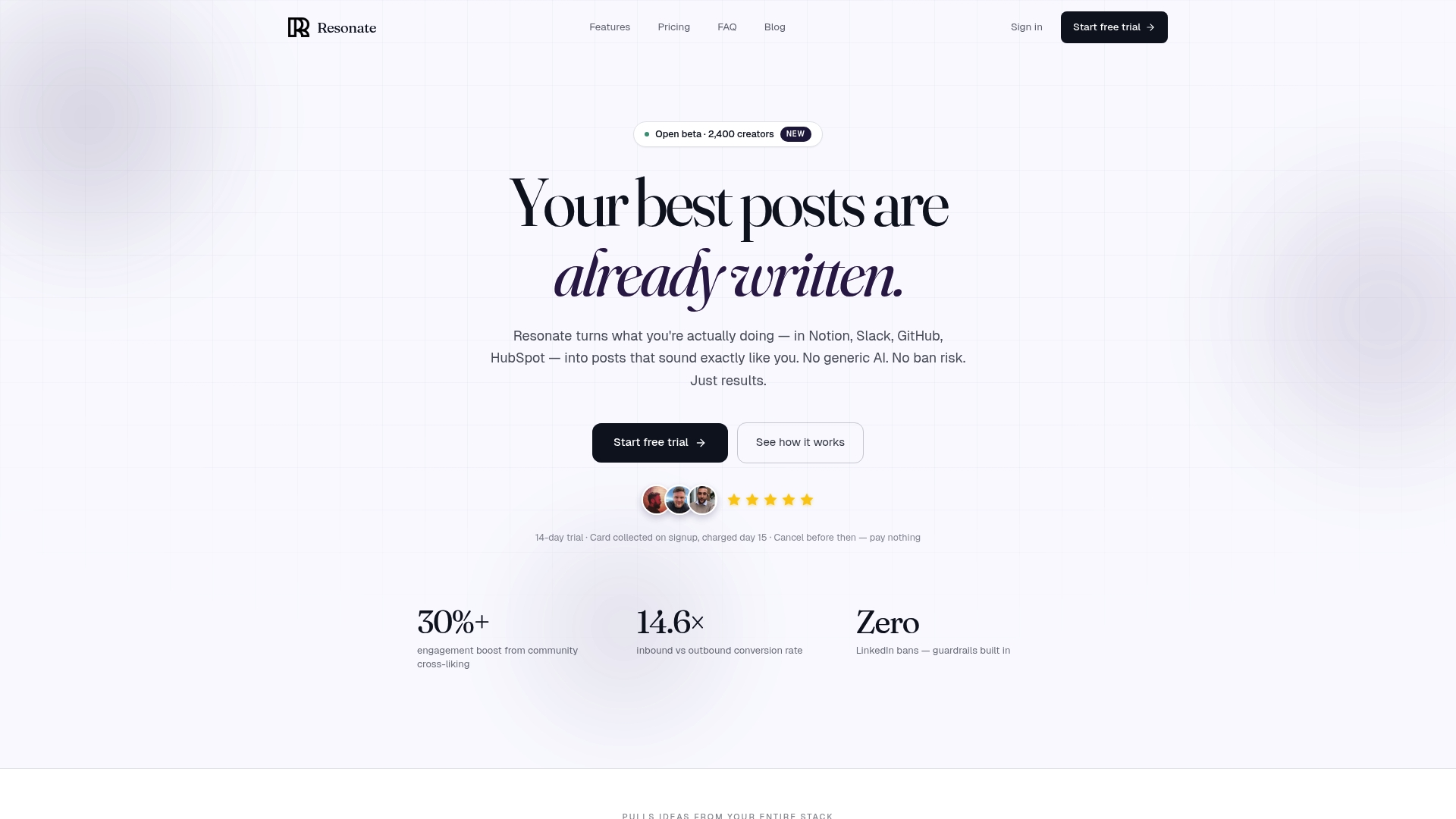
Here’s where the Resonate feature set maps directly to the workflow above:
- Voice training: Resonate trains on your actual posts, not a generic style model, so drafts start closer to your voice before you touch them.
- Idea surfacing: Integrations with Notion, Slack, GitHub, and HubSpot pull real work context into post ideas - no more staring at a blank prompt.
- Safe scheduling: Configurable frequency caps and rate limits prevent the cadence spikes that trigger platform scrutiny.
- Analytics: Early engagement tracking and performance trends help you spot voice drift before it compounds into a reach problem.
- Community boosts: Amplify reach in the first hour - exactly when the algorithm is deciding whether to keep distributing your post.
Resonate is purpose-built for professionals who want automation without the account risk that comes with generic tools. Start with the features overview to see how voice calibration and safety controls work together.
Useful sources and further reading
- Why Your AI-Written LinkedIn Posts Are Quietly Losing You Reach - Lilach Bullock (workflow evidence, impression data, recovery timeline)
- How to be authentic when nothing looks fake anymore - Prashant Saxena, IMD (disclosure policy, credibility framework)
- How to be Authentic on the Internet - Ben Roy (depth over breadth, niche voice)
- The myth of authenticity online - Toby Myles (boundary-setting, performance drift)
- How to maintain authenticity in your social media strategy - HubSpot Marketing Blog (practical AI prompting, voice preservation)
- Resonate Features - Resonate.ai (voice calibration, integrations, safety controls)
Recommended

Content Writer @ Resonate
Charlotte explores LinkedIn content, personal branding, AI writing, and founder-led marketing at Resonate. She believes the best content comes from real experience, not generic advice, and writes practical insights to help founders turn what they already know into content that people want to read.
Write LinkedIn content that sounds like you
with Resonate's AI Voice Engine