7 LinkedIn Automation Tools That Won't Get Your Account Restricted (2026)
What is a safe LinkedIn automation tool? The short answer
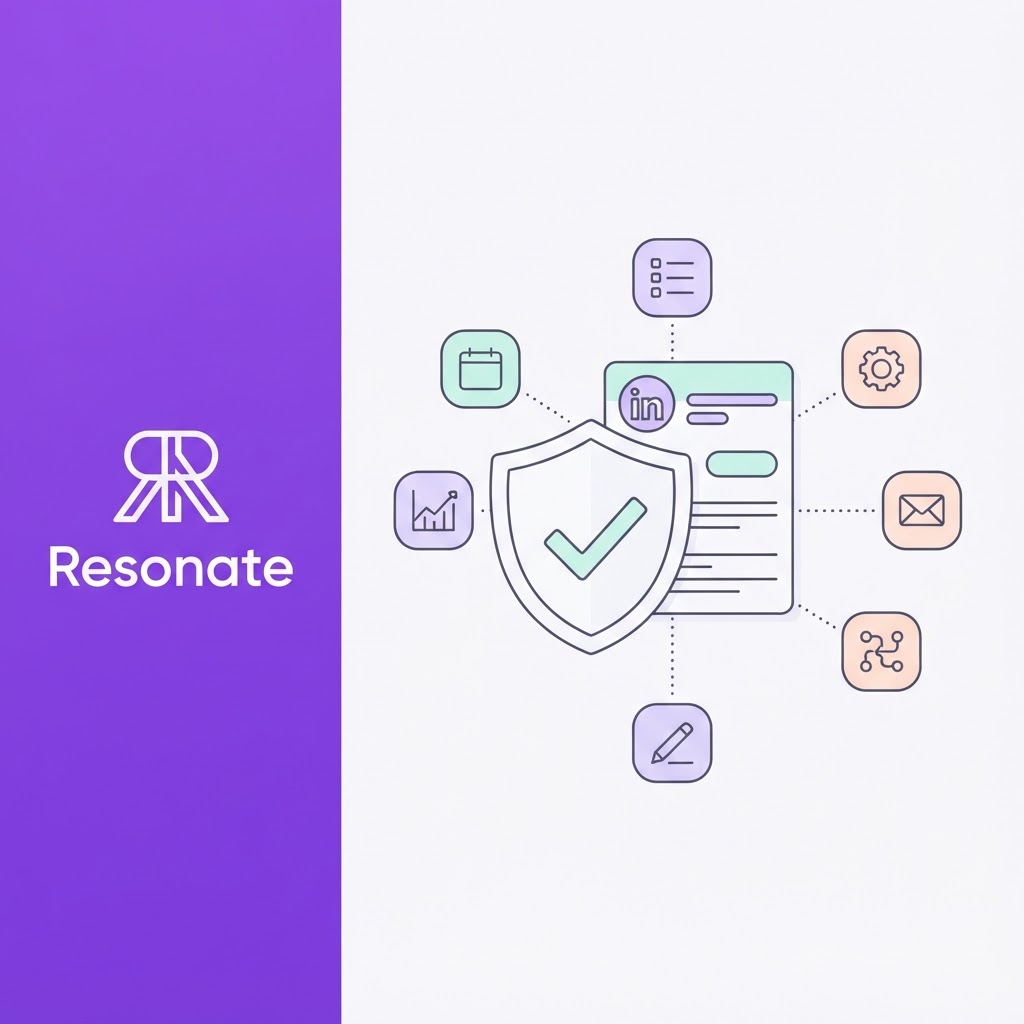
A safe LinkedIn automation tool automates the work around LinkedIn, not the actions inside your account. It can find ideas, draft posts, schedule through LinkedIn's official connection, build lead lists, and remind you to follow up and report results. It does not send connection requests, messages, likes, or comments for you.
| Tool | What it safely automates |
|---|---|
| Resonate (our product) | Post ideas from your own work, drafts in your voice, critique before approval, and prospect suggestions you act on yourself |
| Buffer | Scheduling posts across networks |
| SocialPilot | Scheduling and reporting across many accounts |
| LinkedIn Sales Navigator | Lead lists, saved searches, and alerts |
| A sales engagement platform with manual LinkedIn tasks | Reminders and task queues for steps a person completes |
| LinkedIn Sponsored Messaging | Messages to a targeted audience at scale, through LinkedIn's own ads |
| n8n (or Zapier or Make) | Workflows outside LinkedIn: CRM updates, alerts, reports |
What should "safe" mean for LinkedIn automation?
Most "safest LinkedIn automation tool" lists are written by outreach vendors, and almost every one ranks its own product first. They use "safe" to mean less likely to be detected: dedicated IP addresses, proxies, warm-up periods, and human-like delays.
This article uses a different test: does the tool stay within LinkedIn's rules? LinkedIn's User Agreement Section 8.2 prohibits bots and unauthorized automated methods that add contacts, send messages, or create, comment on, like, or share posts. A tool that does those things is not made safe by being harder to catch; it is only less likely to be caught today.
That is why the tools on this list will not get your account restricted: none of them send requests, messages, likes, or comments from your account, and two are LinkedIn's own products. Your own behavior still counts; LinkedIn applies invitation limits to every member, however they send. Resonate makes one tool on this list, and we have said which.
Can you automate connection requests safely?
No. LinkedIn connection request automation is exactly what Section 8.2 of the User Agreement describes: bots adding contacts and sending messages. LinkedIn's self-serve developer API does not offer automated connection requests, so any tool that sends them for you is acting through your logged-in session, whether from a browser extension, a desktop app or a cloud server.
LinkedIn also has the means to notice. Its website scans browsers for thousands of known extensions, as BleepingComputer confirmed in April 2026, and its engineering team has published how it uses models of request timing to catch low-volume automation. Our guide to how LinkedIn actually detects automation covers each layer.
What you can do safely is automate everything around the request: finding the right people, researching them, drafting a personal note, reminding yourself to send it, and logging the result. The person still clicks send.
Why do the "safest tool" rankings disagree?
Read several outreach vendors' lists side by side, and they contradict each other:
- Expandi's list ranks Expandi first.
- Linked Helper's list ranks Linked Helper as the safest overall.
- Valley's list ranks Valley first and names Linked Helper as a tool to avoid.
Each vendor defines "safe" by its own architecture. None can show that LinkedIn approves automated outreach, because LinkedIn does not.
Which common safety claims hold up?
| Claim | Where it appears | Status |
|---|---|---|
| A dedicated IP or proxy makes outreach automation safe | Several outreach vendors' lists | It may reduce one detection signal; the activity is still prohibited |
| 100 to 200 connection requests a week is safe | ReactIn's list and others | LinkedIn publishes no safe number; its timing models target patterns, not just volume |
| Zero restrictions across 1,000+ accounts | A vendor's own claim | Not independently verifiable |
| Official-API scheduling tools carry zero risk | SocialPilot and Postiv | Lowest-risk category, but LinkedIn's API Terms still rule out fully automated posting; "zero" overstates it |
| LinkedIn ran an "April 2025 crackdown" on cookie and extension tools | Several lists | We found no LinkedIn source for a named crackdown |
What can you safely automate, task by task?
Think of LinkedIn work as a chain. Most of the links can be automated; the few that happen inside your account stay with you.
| Task | Automate? | How |
|---|---|---|
| Finding post ideas | Yes | From your own work and notes |
| Drafting posts | Yes | AI trained on your writing |
| Reviewing drafts | Yes, then you approve | AI critique for opening, voice and likely response |
| Scheduling and publishing posts | Yes, through LinkedIn's official connection, with your approval | A scheduler you authorise on LinkedIn's sign-in screen |
| Building lead lists and alerts | Yes | Sales Navigator saved searches and alerts |
| Choosing who to contact | Yes | Suggestions from your engagers and ideal customer profile |
| Drafting connection notes and messages | Yes | AI drafts you edit |
| Reminders and follow-up tasks | Yes | A task queue in a CRM or sales engagement platform |
| Reaching many people by message | Yes, through LinkedIn's ads | Sponsored Messaging, paid and labelled |
| Logging activity and reporting | Yes | Workflow tools outside LinkedIn |
| Sending connection requests | No | You send them |
| Sending messages from your account | No | You send them |
| Liking and commenting | No | You engage by hand |
| Scraping profiles or engager lists | No | Use LinkedIn's own tools |
The pattern is consistent: if a step happens inside your logged-in account and involves another person, a person does it. Everything else can be automated. Our guides to LinkedIn automation without a Chrome extension and safe LinkedIn outreach explain each step in more depth.
What are the 7 safe LinkedIn automation tools?
1. Resonate: Automates content and prospect research, not your account
Image URL:
Resonate (our product) turns your real work, from tools like Notion, Slack, and HubSpot, into LinkedIn drafts in your calibrated voice. Three AI critique agents review each draft, and nothing publishes until you approve it. Its outreach feature ranks likely prospects from your real engagers and ideal customer filters, then takes you to their profile so you can connect yourself.
- Automates: Ideas, drafting, review, scheduling, analytics, and prospect suggestions.
- Leaves to you: Approving posts, sending connection requests, and messages.
- No Chrome extension, cookie login, or scraping.
2. Buffer: Automates scheduling across networks
Image URL:
Buffer schedules posts to LinkedIn and other networks. Taplio's comparison of Taplio alternatives lists a free plan and paid plans at $5 per channel a month.
- Automates: Publishing at set times, basic analytics.
- Best for: People who write their own posts and post on several networks. See Resonate vs Buffer.
3. SocialPilot: Automates scheduling and reporting for many accounts
Image URL:
SocialPilot schedules and reports across many social accounts. Its own guide describes a flat-rate plan from $30 a month using LinkedIn's official API.
- Automates: Publishing and reports.
- Best for: Teams and agencies publishing company page content.
4. LinkedIn Sales Navigator: Automates lead lists and alerts
Image URL:
Sales Navigator is LinkedIn's own prospecting product. Saved searches, lead lists and alerts tell you when the right people change jobs, post, or engage, without any third-party automation. Published comparisons list plans from about $100 to $180 per user a month, depending on tier and billing.
- Automates: Finding and tracking prospects.
- Leaves to you: Reaching out.
5. A sales engagement platform with manual LinkedIn tasks
Image URL:
Sales engagement platforms such as Outreach and Salesloft can include LinkedIn as a step in a sequence, as a task a person completes rather than an action the software performs. The platform reminds you to view a profile or send a request on a given day; you do it.
- Automates: Sequencing, reminders, and logging across email, phone, and LinkedIn.
- Best for: Sales teams that want LinkedIn inside a wider outbound process.
6. LinkedIn Sponsored Messaging: LinkedIn's own way to message at scale
If you need to reach many people by message, LinkedIn sells a way to do it. Sponsored messaging delivers message ads and conversation ads to a targeted audience on LinkedIn. Messaging, charged per send, with LinkedIn limiting how often each member receives them. Messages are labelled as sponsored. A founder or executive can be shown as the sender if they grant sender permission to the ad account.
- Automates: Targeted messaging at volume, with reporting.
- Trade-off: It costs money per send, and readers know it is an ad.
7. n8n: Automates the workflow outside LinkedIn
Workflow tools connect the systems around LinkedIn: send new post ideas from Slack to your content queue, log new connections in your CRM, alert you when a target account engages, or compile a weekly report. Our guide to building a LinkedIn content pipeline with n8n shows a full example, including an approval step before anything publishes.
- Automates: Everything between your tools.
- Rule: Keep anything that acts inside a LinkedIn account out of these workflows.
What are the best Waalaxy alternatives?
People searching for Waalaxy alternatives usually want the same outcome with less risk: more conversations with the right people. Swapping one outreach automation tool for another changes the architecture, not the rule. A safer switch changes how the work is done.
| What Waalaxy did for you | Safer replacement |
|---|---|
| Built prospect lists | Sales Navigator saved searches and lead lists |
| Picked who to contact | Prospect suggestions from your own engagers and ideal customer profile, such as Resonate's outreach feature |
| Wrote connection notes | AI drafts and personalizes and sends you |
| Sent connection requests and messages | You send them in a short daily block |
| Ran follow-up sequences | Reminders in a CRM or sales engagement platform |
| Reached people at volume | LinkedIn Sponsored Messaging, or content that brings people to you |
For a side-by-side view, see Resonate vs Waalaxy.
How do you switch away from Waalaxy?
- Export your lists and conversation history from your current tool
- Stop all running campaigns
- Uninstall any LinkedIn browser extensions and disconnect cloud tools
- Change your LinkedIn password to end stored sessions
- Check LinkedIn's data privacy and then permitted services, and remove apps you no longer use
- Rebuild your lists in Sales Navigator and set alerts
- Send connection requests and messages by hand for a few weeks
How do you track your account's health?
Whatever tools you use, watch the signals LinkedIn's limits respond to. LinkedIn's invitation limit reached help page says every member has a weekly invitation limit, that a restriction usually lasts about a week, and that withdrawing pending invitations does not lift it.
| Signal | Check weekly | If it slips |
|---|---|---|
| Acceptance rate | Accepted ÷ sent in the last 30 days | Target more narrowly; warm people up first |
| Pending invitations | Sent invitations in My Network | Withdraw old ones |
| Reply rate | Replies ÷ first messages | Shorter, more specific messages |
| Warnings or identity checks | Any notice from LinkedIn | Stop outreach and review every tool connected to your account |
Frequently asked questions
What are the safest LinkedIn automation tools?
Tools that automate work around LinkedIn rather than actions inside your account: content tools like Resonate, official-API schedulers like Buffer and SocialPilot, LinkedIn's own Sales Navigator and Sponsored Messaging, task-based sales platforms, and workflow tools like n8n.
Is any LinkedIn connection request automation safe?
No. LinkedIn's User Agreement prohibits bots that add contacts or send messages, whatever software sends them. Automate the research and drafting, and send requests yourself.
Are cloud-based outreach tools safer than Chrome extensions?
They avoid LinkedIn's extension scan, but they still act inside your account, which breaks the same rule, and LinkedIn's session and timing models still apply.
Do proxies or dedicated IPs make automation safe?
They may reduce one detection signal. They do not make prohibited activity allowed, and they are designed to hide what the tool is doing.
What is a good Waalaxy alternative?
Rather than another outreach automation tool, use Sales Navigator for lists, AI for drafting notes, reminders for follow-ups, and send requests yourself. LinkedIn Sponsored Messaging is the official way to reach many people at once.
Can I automate LinkedIn without a Chrome extension?
Yes. Content tools, official-API schedulers, Sales Navigator and workflow tools all work without an extension. Cloud and desktop outreach tools also avoid extensions but still act in your account.
Is official-API post scheduling completely risk-free?
It is the lowest-risk category. LinkedIn's API Terms still rule out fully automated posting, so keep a person approving each post.
Want to automate the safe parts of LinkedIn?
Resonate turns your real work into posts in your voice, checks each draft before you approve it, and shows you who is worth reaching out to, with no extension, cookie login or scraping.

Content Writer @ Resonate
Charlotte explores LinkedIn content, personal branding, AI writing, and founder-led marketing at Resonate. She believes the best content comes from real experience, not generic advice, and writes practical insights to help founders turn what they already know into content that people want to read.
Write LinkedIn content that sounds like you
with Resonate's AI Voice Engine