How to Turn One Podcast Episode Into a Week of LinkedIn Posts
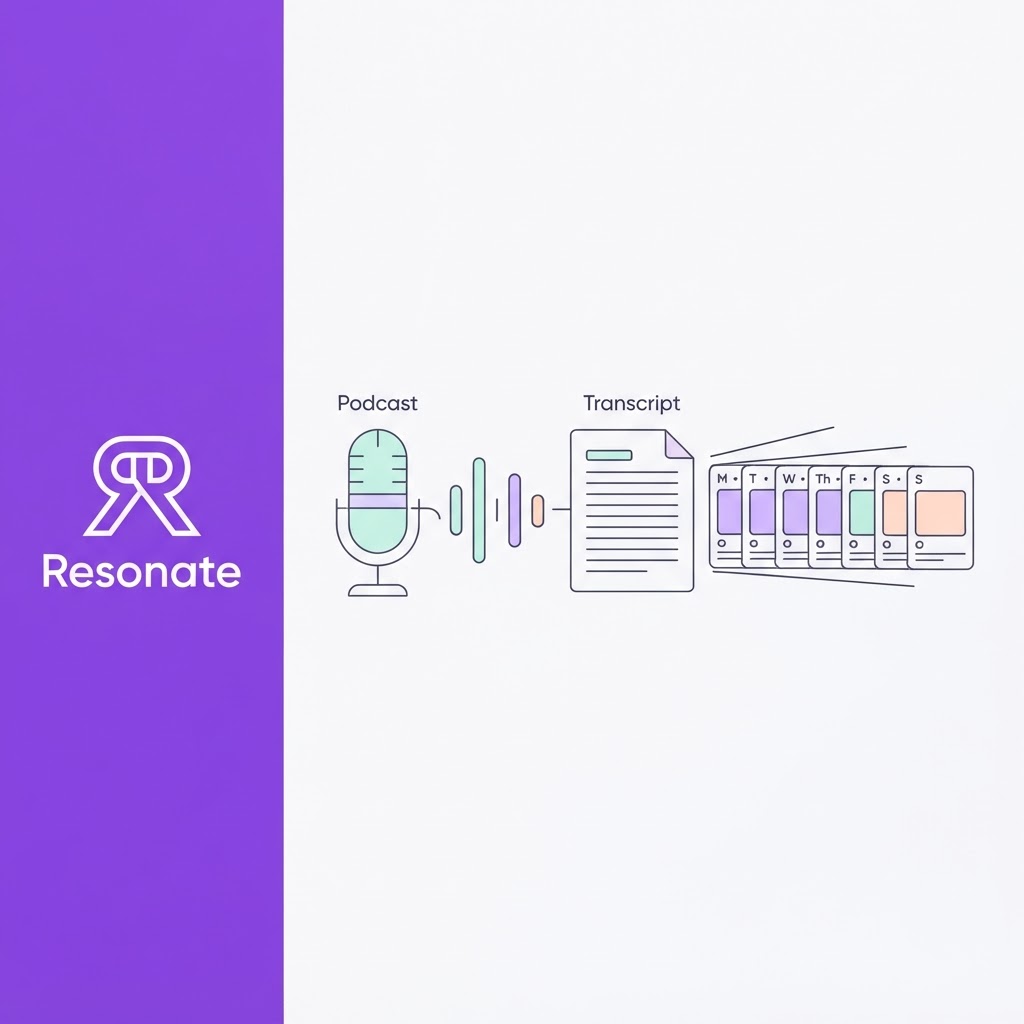
You just spent an hour on a podcast sharing your best ideas: hard-won lessons, strong opinions, and stories you’ve never told publicly. A few hundred people listen. Then the episode disappears into a feed.
That hour is the best raw material you’ll have all month. If you repurpose a podcast for LinkedIn, one episode can become a full week of posts, each one built from things you actually said, in your own words.
This guide shows you how to turn podcast content into LinkedIn posts step by step: a 7-post plan, how to mine a transcript, AI prompts that keep your voice, a real before-and-after example, and a simple weekly workflow.
The short answer: To repurpose a podcast for LinkedIn:
- Get a transcript of the episode.
- Pull out 5-7 strong moments (a lesson, a contrarian take, a story, a framework, a quote).
- Turn each moment into a different type of post.
- Edit the spoken language into tight written posts.
- Schedule them across the week.
AI can do most of the drafting from the transcript, but always edit so every post sounds like you and makes one clear point.
Key takeaways
- One episode holds 5-7 post ideas: You don’t need to summarise the whole episode.
- Start from the transcript: Your exact words keep the posts authentic.
- Vary the post types: lessons, opinions, stories, frameworks, quotes, and clips.
- Spoken isn’t written: Cut the filler, tighten sentences, and lead with the hook.
- Ask guests first: Get permission before quoting or clipping a guest.
Why are podcasts perfect raw material for LinkedIn?
Podcasts solve the two hardest parts of posting consistently:
- You’ve already done the thinking: On a podcast you explain ideas, answer tough questions, and tell stories naturally. That’s exactly what good LinkedIn posts need.
- It already sounds like you: Your phrasing, opinions, and examples are on the record, so there’s no blank page and no guessing your voice.
Most people only post “New episode out! Link in comments”. That’s one post, and usually a low-engagement one. The real value is in the ideas inside the episode.
How do you turn podcast content into a 7-post LinkedIn week?
Here’s how one 30-60 minute episode can become a week of content:
| Day | Post type | What to pull from the episode | Best format |
|---|---|---|---|
| Monday | The big lesson | The single most useful takeaway | Text post |
| Tuesday | The contrarian take | An opinion that challenges common thinking | Text post |
| Wednesday | The story | A specific moment you described (a failure, a turning point) | Text post |
| Thursday | The framework | A process, model or list of steps you explained | Carousel |
| Friday | The quote | One memorable line from you or your guest | Quote graphic or short text |
| Saturday (optional) | The clip | A 30-90 second video moment with captions | Native video |
| Sunday (optional) | The episode post | The episode itself, with 3 takeaways and the link | Text + link in comments |
Don’t want to post 7 times? Pick the strongest 3-5 and spread them across two weeks. See how often you should post on LinkedIn to choose a cadence.
Not sure whether a moment should be text or a carousel? Our LinkedIn carousel vs text post guide breaks down when each format works.
How do you create LinkedIn posts from a podcast transcript (step by step)?
Step 1: Get the transcript
Most podcast recording and editing tools can generate a transcript, and many hosting platforms create one automatically. If yours doesn’t, use a dedicated transcription tool. Save it in a doc so you can search and highlight it.
Tip: Ask for the transcript with timestamps. It makes finding video clips much easier.
Step 2: Mine it for 5-7 moments
Skim the transcript and highlight moments that are:
- Specific: a number, a name, a date, a real event
- Surprising: something that goes against common advice
- Useful: a step, a tool, or a lesson someone could apply
- Emotional: a mistake, a doubt, a turning point
- Quotable: one line that stands on its own
Tip: The best moments often come right after the host asks “Can you give an example?” or “What would you do differently?”
Step 3: Assign each moment a post type
Match each highlight to one of the 7 post types above. One moment should become one post with one point. Don’t try to fit three ideas into a single post.
Step 4: Draft each post
Turn each moment into a draft, either yourself or with AI (prompts below). Keep your original words where they’re strong. That’s what makes repurposed content sound authentic.
Step 5: Edit spoken language into written posts
Spoken answers are longer and looser than good posts. When editing:
- Lead with the point. On a podcast you build up to it. On LinkedIn, start with it.
- Cut filler: “So, basically”, “you know”, “I think what I’d say is…”
- Shorten sentences. Break long spoken sentences into two or three.
- Add context. Readers didn’t hear the question, so set the scene in one line.
- Keep one detail only you would know.
For more on structure and hooks, see our LinkedIn post writing guide.
Step 6: Choose the format
- Text for lessons, opinions, and stories
- Carousel for frameworks and step-by-step processes
- Video clip for moments where tone and delivery matter. Add captions, since many people watch without sound.
- Quote graphic for one strong line
Step 7: Schedule the week
Schedule all the posts in one sitting. Space them out, and save the “new episode” post for later in the week. By then your audience has already seen the best ideas and is more likely to want the full episode.
Step 8: Engage and track
Reply to comments on each post. After the week, check which post types performed best, and use more of them next time.
What does a transcript-to-LinkedIn-post example look like?
The transcript (spoken):
“So yeah, I think, you know, the thing nobody really tells you about hiring after a seed round is that, like, we basically hired six people in a month, and honestly, within six months, three of them weren’t with us anymore. And it wasn’t really their fault, it was more that we were hiring for, I guess, the company we wanted to be, not the company we actually were at that point.”
The LinkedIn post (written):
I hired 6 people in a month after our seed round. 3 were gone within 6 months.
It wasn’t their fault. It was mine.
I was hiring for the company we wanted to be, not the one we were. Senior people who needed structure we hadn’t built yet.
Now I ask one question before every hire: “Could this person succeed here in the next 90 days, as we are today?”
(From my conversation on [Podcast name] with [Host]. Full episode in the comments.)
What changed:
- The hook leads with the result.
- The filler is gone (“so yeah”, “you know”, “like”).
- Long sentences are split into short lines.
- A practical takeaway was added at the end.
- The original story and phrasing stayed the same.
Which AI prompts help with podcast content repurposing?
AI is very good at the slow parts of repurposing: finding moments and producing first drafts. Paste your transcript into an AI tool and try these prompts.
Prompt 1: Find the best moments
“Here’s a podcast transcript where I’m the guest. Find the 7 strongest moments for LinkedIn posts: one big lesson, one contrarian opinion, one personal story, one framework or process, and three quotable lines. For each, give the exact quote from the transcript and a one-line reason it would work as a post.”
Prompt 2: Draft a post from one moment
“Turn this moment from my podcast into a LinkedIn post. Keep my original phrasing where possible. Open with the most surprising line. Use short sentences and one-to-three-line paragraphs. Under 200 words. No hashtags or emojis. End with a clear takeaway.”
Prompt 3: Turn a framework into a carousel outline
“Turn this section of the transcript into a LinkedIn carousel outline: a cover slide with a hook, one slide per step (max 15 words each) and a closing slide with a takeaway.”
Prompt 4: Write the episode post
“Write a LinkedIn post announcing this episode. Lead with the single most interesting insight, then list 3 takeaways in one line each. Put the link in the first comment. Don’t open with ‘New episode out’.”
Keep your voice:
- Give the AI 10-20 of your past posts as examples.
- List phrases you’d never use.
- Always edit the final draft yourself.
An AI content creation tool trained on your writing, such as Resonate’s voice calibration, does this automatically.
How do you repurpose episodes where you’re the host or have a guest?
When guests are involved, a little care goes a long way:
- Ask permission before quoting a guest or posting a clip of them.
- Share drafts of any post built around their words, and let them correct anything.
- Tag them so they can share it, which also extends your reach.
- Credit them clearly (“As [Name] put it on our show...”).
- Make it easy for them to share: send them the post or clip once it’s live.
What are the common podcast repurposing mistakes?
- Only posting “new episode out”: Share the ideas, not just the link.
- Summarising the whole episode in one post: One post, one point.
- Copying the transcript word for word: Spoken language needs editing.
- Losing your voice: Heavily rewritten AI posts can stop sounding like you.
- Clips without captions: Many people scroll with the sound off.
- Forgetting the guest: Not asking permission or tagging them is a missed opportunity, and it can cause problems.
What does a faster podcast-to-LinkedIn workflow with Resonate look like?
If you record podcasts regularly, the manual process above takes 2-3 hours per episode. Here’s how to speed it up:
- Save the transcript in a tool Resonate connects to, such as Notion or Google Docs.
- Get ideas automatically. Resonate’s AI writing reads your connected work sources and surfaces post-worthy moments as ideas.
- Draft in your voice. Each idea becomes a draft written in your calibrated voice.
- Check before you post. AI critique scores each draft’s hook, voice, and likely engagement.
- Schedule the week and track results with self-learning analytics.
Already working in Claude? Paste the transcript into Claude and use Resonate’s MCP integration to draft and score posts without switching apps. Our guide to running LinkedIn from Claude with MCP walks through the setup.
Unlike a generic AI post generator, Resonate starts from your real words, so repurposed posts still sound like you.
For agencies repurposing client podcasts: keep each client’s voice separate from the agency plan.
Comparing repurposing tools? See Resonate vs Supergrow.
How can you turn every conversation into content?
Your podcasts, meetings, and docs are full of post-worthy ideas. Resonate is an AI LinkedIn content generator that turns your real words into a week of posts in your voice, checked before they go live.
Frequently asked questions
How do you repurpose a podcast for LinkedIn?
Get a transcript, pick 5-7 strong moments (a lesson, an opinion, a story, a framework, or a quote), turn each into a different type of post, edit the spoken language into tight written posts, and schedule them across the week.
How many LinkedIn posts can you get from one podcast episode?
Usually 5-7 from a 30-60 minute episode: a lesson, a contrarian take, a story, a framework, a quote, a video clip, and the episode announcement. Longer or denser episodes can produce more.
How do I turn a podcast transcript into LinkedIn posts?
Highlight specific, surprising, or useful moments in the transcript; give each one a post type; and draft a short post that leads with the main point. Cut filler words, shorten sentences, and add one line of context, since readers didn’t hear the original question.
Can AI repurpose podcast content for LinkedIn?
Yes. AI can find the strongest moments in a transcript and draft posts from them in seconds. Give it examples of your writing and edit every draft so the posts sound like you and stay accurate.
Should I post the podcast link on LinkedIn?
Yes, but make it one post of several, not the only one. Lead with an insight rather than “new episode out”, and consider putting the link in the first comment.
Do I need permission to post quotes from a podcast guest?
It’s good practice to ask. Share any post built around a guest’s words before publishing, credit them, and tag them so they can share it.

Content Writer @ Resonate
Charlotte explores LinkedIn content, personal branding, AI writing, and founder-led marketing at Resonate. She believes the best content comes from real experience, not generic advice, and writes practical insights to help founders turn what they already know into content that people want to read.
Write LinkedIn content that sounds like you
with Resonate's AI Voice Engine