Best ReachSocial.ai Alternatives for Founders & Marketers
Best ReachSocial.ai Alternatives for Founders & Marketers
 . If you want to try this yourself, spin up a draft with Resonate's LinkedIn content generator.
The strongest ReachSocial.ai alternatives right now are Resonate (recommended), Lately.ai, PhantomBuster, Expandi, SocialBee, and Hootsuite. If LinkedIn is your primary channel and you post three or more times a week, Resonate is the one to trial first. It trains on your actual writing style, publishes directly via the LinkedIn API, and includes safety guardrails that reduce ban risk - capabilities that generic schedulers skip entirely.
Two numbers frame the decision fast. LinkedIn-first AI tools start around $99/month, delivering a 50 - 98% cost reduction compared to agency rates of $5,000 - $10,000/month, according to published comparisons. And fragmented tool workflows - drafting in one app, editing in another, publishing in a third - create 12 to 18 context switches per post and waste over 15 hours monthly for active creators, according to ReachSocial analysis.
Quick shortlist:
- Resonate - LinkedIn-first AI, voice calibration, safety guardrails, Notion/Slack/HubSpot integrations
- Lately.ai - AI repurposing from long-form content; good for content-heavy teams
- PhantomBuster - connector/automation tool for outreach workflows; higher ban risk
- Expandi - LinkedIn outreach automation with some safety controls
- SocialBee - multi-platform scheduler with category-based posting
- Hootsuite - enterprise multi-channel scheduler with broad integrations
How do these ReachSocial.ai alternatives compare at a glance?
| Category | Best for | AI content & voice calibration | Scheduling & automation | Integrations | LinkedIn safety | Pricing / trial | Analytics |
|---|---|---|---|---|---|---|---|
| LinkedIn-first AI platforms | Founders, consultants posting 3+/week | Yes - trains on your voice | Direct LinkedIn API publishing | Notion, Slack, HubSpot, Salesforce, API | Built-in guardrails | ~$99/mo+; free trial available | Engagement prediction, improving over time |
| Multi-platform schedulers | Marketing teams, cross-channel campaigns | Basic AI assist | Multi-network queue | 100+ integrations (varies) | Minimal LinkedIn-specific controls | Freemium to $99+/mo | Cross-channel dashboards |
| Browser automation & connectors | Growth engineers, outreach at scale | None | Workflow automation | CRM connectors, webhooks | Low - credential sharing risk | Usage-based; free tiers | Limited |
| Human-plus-AI managed services | Executives wanting full delegation | Ghostwriter-calibrated | Managed posting | Varies by agency | Managed by provider | $2,000 - $10,000+/mo | Reporting decks |
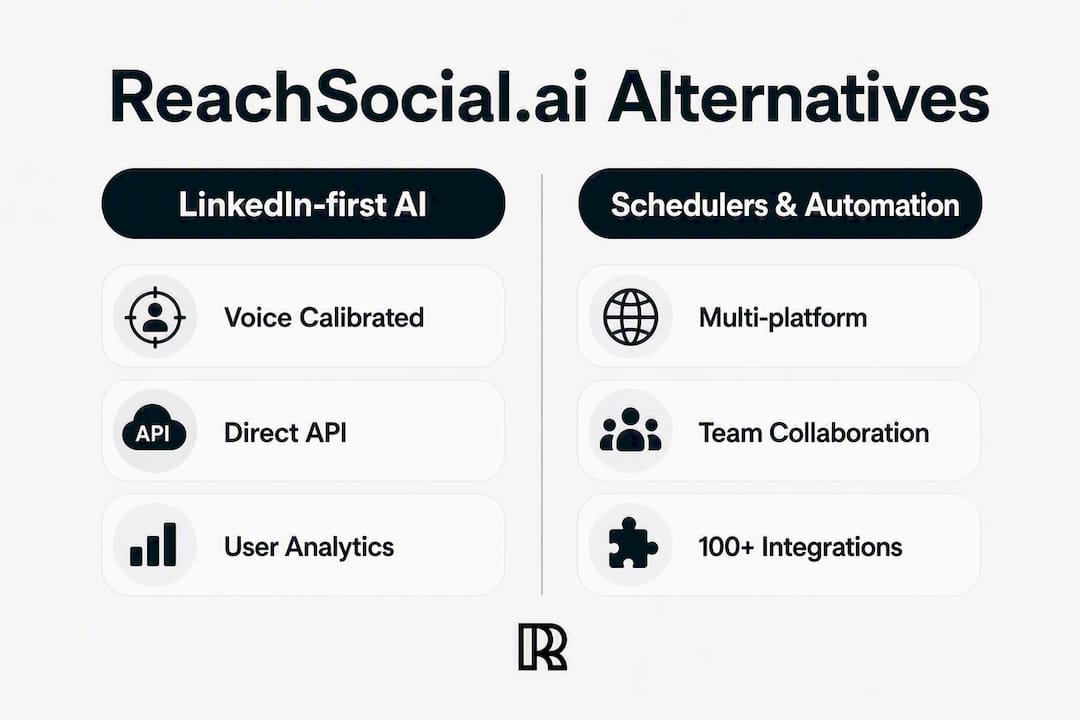
What each alternative actually does in practice
LinkedIn-first AI platforms (Resonate)
This category does the work that matters before you hit publish: surfacing ideas from your Notion pages or Slack threads, calibrating content to your voice, predicting engagement, and publishing directly via LinkedIn API. Resonate adds community boost mechanics that push early reach past the cold-start problem most posts hit in the first 30 minutes.
Pros: Voice-trained content, direct API publishing, safety guardrails, integrations with real work tools, analytics that compound over time. Cons: LinkedIn-focused, so cross-channel teams need a separate tool for Instagram or X. Pricing: Monthly subscription starting around $99; 14-day free trial, 30-day money-back guarantee.
Pro Tip: Test voice calibration in the first week of your trial. If the output doesn’t sound like you by day 7, the tool isn’t learning correctly - that’s your signal to reassess.
Multi-platform schedulers (SocialBee, Hootsuite)
Schedulers like Hootsuite and SocialBee are built for teams running coordinated campaigns across LinkedIn, Instagram, Facebook, and X simultaneously. Cross-channel planning, team approval workflows, and asset libraries are their strengths. What they don’t offer is pre-publish intelligence: no idea surfacing from your CRM, no voice calibration, no engagement prediction before the post goes live.

Pros: Broad network support, team collaboration, content calendars, 100+ integrations. Cons: Weaker LinkedIn-specific growth mechanics; AI features are generalist, not voice-trained. Pricing: Freemium tiers available; paid plans typically $19 - $99+/month depending on profiles and users.
Browser automation & connectors (PhantomBuster, Expandi)
PhantomBuster and Expandi automate outreach sequences, connection requests, and comment workflows. They’re powerful for growth engineers who need volume, but they operate outside LinkedIn’s official API. That means credential sharing and a real risk of account restriction. Direct API publishing and documented guardrails are what separate safe automation from risky scraping.
Pros: High outreach volume, CRM connectors, flexible workflows. Cons: Elevated LinkedIn ban risk, DIY configuration, no content generation. Pricing: Usage-based; free tiers exist, paid plans vary by automation volume.
Human-plus-AI managed services
Ghostwriting agencies and managed LinkedIn services handle everything: strategy, writing, posting, and reporting. For a C-suite executive with no time to review drafts, this makes sense. The trade-off is cost ($2,000 - $10,000+/month) and the lag between your thinking and what actually gets published. You’re also dependent on the agency’s interpretation of your voice, not a model trained on your actual writing.
Pros: Full delegation, high-touch strategy, professional editing. Cons: Expensive, slower iteration, less direct control over voice.
How we chose these alternatives
The evaluation focused on seven criteria, applied consistently across every option:
- LinkedIn-first features - idea surfacing, voice calibration, direct LinkedIn API publishing
- Safety guardrails - documented limits, no credential sharing, ban-risk mitigation
- Integrations - Notion, Slack, HubSpot, Salesforce, and API/MCP access
- Analytics and engagement prediction - pre-publish signals, not just post-publish reports
- Pricing shape - trial availability, monthly vs. annual, agency seat models
- Ease of use - time to first post, onboarding friction
- Support quality - response time, documentation depth, community resources
Research drew on platform documentation, published feature comparisons, and AI tools analysis covering integrated LinkedIn workflows. Resonate’s own feature documentation was reviewed for voice calibration, guardrail specifics, and integration depth.
How do you pick the right tool for your situation?
Work through this in order:
- Identify your primary channel. If LinkedIn drives 80%+ of your pipeline, a LinkedIn-first AI platform is the right starting point. If you run campaigns across five networks, a multi-platform scheduler fits better - see multi-platform content management trade-offs for a fuller breakdown.
- Assess posting frequency. Posting three or more times a week demands a tool that surfaces ideas automatically. Manual brainstorming at that pace burns out even experienced creators.
- Map your integrations. If your ideas live in Notion, your feedback in Slack, and your leads in HubSpot, you need a platform that connects those work tools to content generation - not just a publishing queue.
- Set your safety tolerance. Ask every vendor: Do you publish via LinkedIn’s official API? What guardrails prevent over-posting? If they can’t answer clearly, move on.
- Check trial terms. A 14-day free trial with a 30-day money-back guarantee is the minimum acceptable. No trial means no accountability.
Red flags to avoid: opaque automation that requires your LinkedIn password, no published guardrail documentation, no refund policy, and analytics limited to vanity metrics (impressions only, no engagement prediction).
Pro Tip: Ask vendors specifically whether their AI trains on YOUR past posts or on a generic dataset. The difference shows up immediately in output quality - generic models produce content that sounds like everyone else on LinkedIn.
When should you choose a LinkedIn-specific tool vs. a scheduler?
Match your role to the right category:
- Founders posting 3+/week for thought leadership → LinkedIn-first AI platform. You need content automation that saves time without sacrificing voice.
- Marketing teams running multi-channel campaigns → Multi-platform scheduler. Coordination and approval workflows matter more than LinkedIn-specific growth mechanics here.
- Growth engineers running outreach at scale → Connector tools (with caution). Understand the ban-risk before deploying at volume.
- Executives who want full delegation → Managed services. Budget accordingly and set clear voice guidelines upfront.
A quick decision flow: assess channel priority first, then scale needs, then safety tolerance, then integration requirements, then budget. Most professionals who land on “LinkedIn is primary” should trial a LinkedIn-first AI platform before defaulting to a generic scheduler. The AI brand intelligence that comes from continuous learning on your post performance creates compounding improvements that static schedulers simply can’t replicate.
Safety note: LinkedIn’s terms prohibit credential sharing and aggressive automation. Any tool that asks for your password rather than OAuth authorization is a ban risk. Stick to tools that publish via LinkedIn’s official API.
What does customer support look like across these categories?
LinkedIn-first AI platforms like Resonate typically offer chat support, detailed documentation, and community resources - critical when you’re troubleshooting a voice calibration issue at 9 PM before a post goes live. Enterprise schedulers like Hootsuite offer tiered support, with faster response times locked behind higher-tier plans. Browser automation tools like PhantomBuster rely heavily on community forums and self-serve documentation; live support is limited. Managed services provide a dedicated account manager, which sounds great until you realize response times depend entirely on agency staffing.
The practical question: how fast can you get help when a scheduled post fails or your account flags an automation warning? For solo professionals, that answer needs to be “within hours,” not “submit a ticket.”
What analytics and performance metrics should you expect?
Generic schedulers report impressions, clicks, and follower growth - useful, but backward-looking. LinkedIn-first AI platforms go further: engagement prediction before publishing, idea scoring based on past performance, and analytics that improve as the model learns your audience. Resonate’s analytics compound over time, meaning month-three data is more useful than month-one data.
Connector tools offer minimal native analytics; you’ll need to pipe data into a separate dashboard. Managed services deliver reporting decks, but the underlying data often stays with the agency.
Which tool scales as your business grows?
Solo professionals can start with any category, but the scaling story differs sharply. LinkedIn-first AI platforms like Resonate support agency seat models with per-client management, white-label reporting, and ban-safe multi-account support - so an individual user can grow into an agency without switching tools. Multi-platform schedulers scale by adding profiles and team seats, but LinkedIn-specific depth doesn’t improve with scale. Connector tools scale by volume, not sophistication. Managed services scale by headcount, which means costs rise linearly.
For a founder who might eventually manage LinkedIn for a handful of clients, starting on a platform with an agency model built in avoids a painful migration later.
Key Takeaways
Resonate is the strongest ReachSocial.ai alternative for LinkedIn-first professionals because it combines voice calibration, direct API publishing, safety guardrails, and work-tool integrations in one platform.
| Point | Details |
|---|---|
| LinkedIn-first AI wins on LinkedIn | Platforms that train on your voice and predict engagement outperform generic schedulers for thought leadership. |
| Cost vs. agency | LinkedIn AI tools start around $99/month versus $2,000 - $10,000+/month for managed agency services. |
| Safety is non-negotiable | Always confirm OAuth-based LinkedIn API publishing and documented guardrails before committing to any tool. |
| Scalability matters early | Choose a platform with an agency seat model if you might manage multiple profiles in the future. |
| Resonate recommended | Resonate covers voice calibration, Notion/Slack/HubSpot integrations, community boosts, and a 14-day free trial. |
The real shift LinkedIn-first AI creates for consistent creators
The conventional wisdom says “just batch your content on Sunday.” That advice misses the actual problem: ideas don’t arrive on a schedule, and voice drift happens the moment you hand drafting to a generic AI. What LinkedIn-first platforms actually change is the source of content. When your tool pulls ideas from your Slack conversations, your Notion roadmap, and your HubSpot pipeline, posts stop feeling manufactured. They reflect what you’re actually working on. That’s what keeps voice authentic at posting frequency - not discipline, but infrastructure. The creators who show up consistently on LinkedIn aren’t necessarily more motivated; they’ve just removed the friction between thinking and publishing. Tools that preserve authentic voice while automating the mechanical steps are the ones worth paying for.
Resonate is built for exactly this switch
If you’ve been using ReachSocial.ai and want a platform that goes deeper on LinkedIn, Resonate delivers voice-calibrated content generation trained on your actual writing, direct LinkedIn API publishing with safety guardrails, and integrations with Notion, Slack, HubSpot, and Salesforce. Community boost mechanics push early engagement past the cold-start window. Agencies get per-client seat management and white-label reporting. The 14-day free trial requires no credit card commitment, and a 30-day money-back guarantee covers the first paid month.
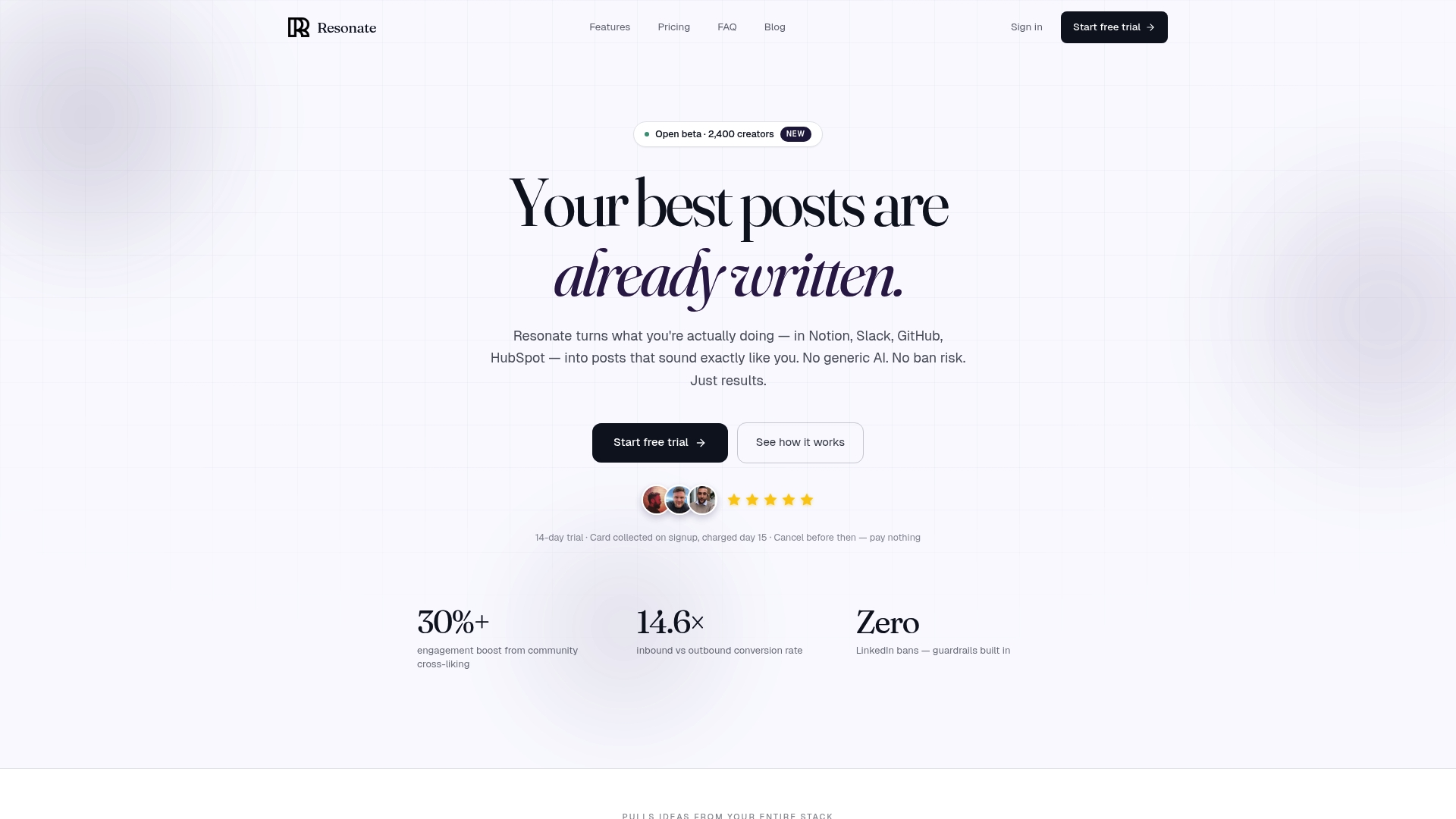
Start your trial at Resonate and run voice calibration, a live post, and the analytics dashboard in the first week. That’s the fastest way to know whether it fits your workflow.
Useful sources and further reading
- How AI tools help solo professionals win on LinkedIn - time-savings case for LinkedIn-first platforms
- AI LinkedIn posts without losing authenticity - voice calibration guidance
- Resonate for agencies: manage multiple LinkedIn profiles with AI - seat management and white-label reporting
- LinkedIn post scheduler: safety guardrails and scheduling docs - feature-level documentation
- Resonate features overview - full integration and guardrail list
- AI tools for LinkedIn content creation: an honest comparison - independent workflow analysis
- AuthorityLayer AI visibility intelligence - AI brand intelligence and engagement visibility methodology
Recommended

Content Writer @ Resonate
Charlotte explores LinkedIn content, personal branding, AI writing, and founder-led marketing at Resonate. She believes the best content comes from real experience, not generic advice, and writes practical insights to help founders turn what they already know into content that people want to read.
Write LinkedIn content that sounds like you
with Resonate's AI Voice Engine